Integration parameter types are used for configuring integration instances. When adding a parameter to an integration in Cortex XSIAM, you assign it a type. The parameter type affects the parameter behavior and interaction with the user. See Configuration in the [Integration metadata YAML file](integration-metadata-yaml-file) for more information about how to set the parameter type.
### Boolean integration parameter type
This parameter type creates a checkbox in the integration instance settings configuration in the UI. When the checkbox is checked, the value in the integration code is True. If the checkbox is not checked, the value is False.
The type number is 8.
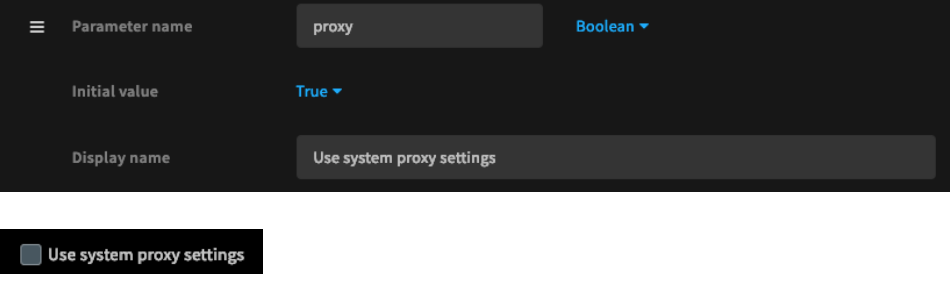
Access: `demisto.params().get('proxy')`
### Short text integration parameter type
This parameter type is used for short input parameters, such as server URLs, ports or queries. It creates a small text box in the integration instance settings configuration in the UI.
The type number is 0.
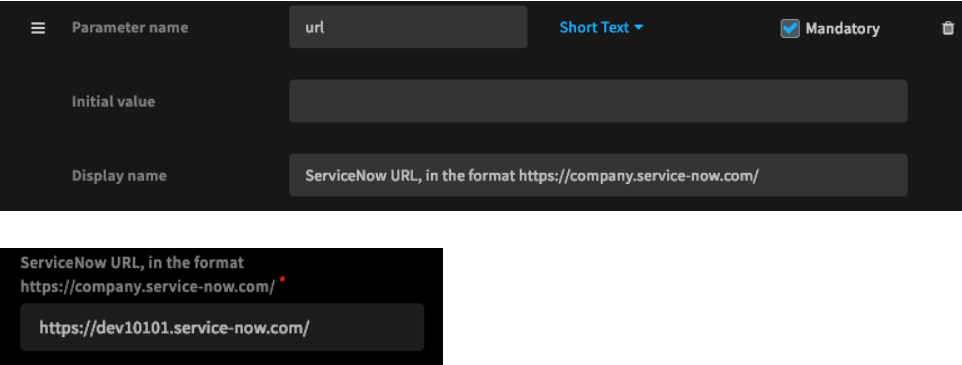
Access: `demisto.params().get('url')`
### Long text integration parameter type
This parameter type is used for long text inputs, such as certificates. It creates a large text box in the integration instance settings configuration in the UI.
The type number is 12.
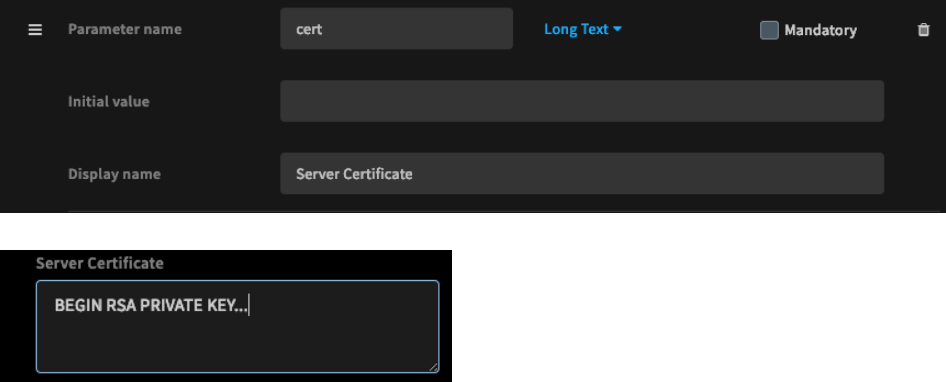
Access: `demisto.params().get('cert')`
### Short encrypted integration parameter type
This parameter type is used for encrypted inputs, such as API tokens. This should not be used for username/password credentials. It creates a small text box for encrypted text, which is also stored encrypted in the database.
The type number is 4.
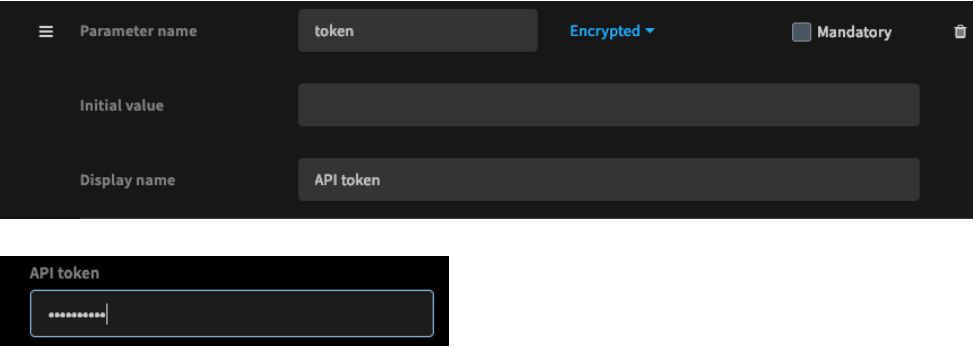
Access: `demisto.params().get('token')`
### Long encrypted integration parameter type
This type of parameter is used for long encrypted inputs, such as certificates. It creates a text area with encrypted text. The text is also stored encrypted in the database.
The type number is: 14.

Access: `demisto.params().get('cert')`
### Authentication integration parameter type
This parameter type is used for username/password credentials, with plain text username and an encrypted password. It supports retrieving credentials from the Cortex XSIAM credentials store (see the Cortex XSIAM support portal for more about the credentials store).
The type number is 9.
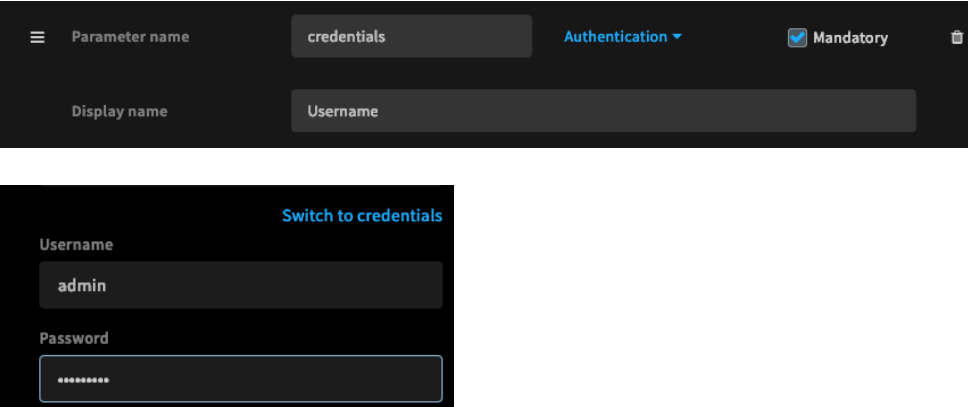
Access:
* Username: `demisto.params().get('credentials', {}).get('identifier')`
* Password: `demisto.params().get('credentials', {}).get('password')`
### Single-select integration parameter type
This parameter type enables selecting a single input from a list of allowed inputs.
The type number is 15.
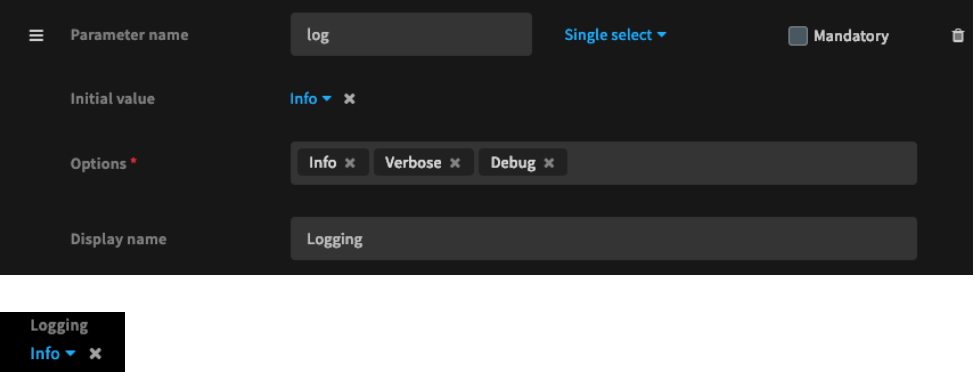
Access: `demisto.params().get('log')`
### Multi-select integration parameter type
This parameter type enables selecting multiple inputs from a list of allowed inputs.
The type number is 16.
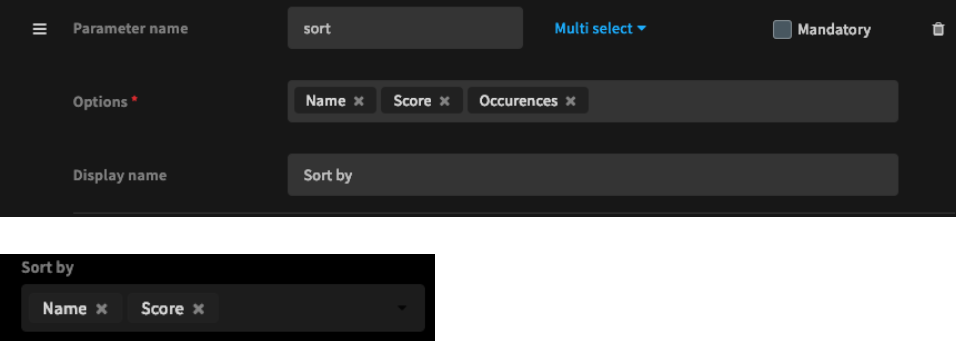
Access: `demisto.params().get('sort')`
### Maintain integration parameter compatibility
Once a parameter is set in an integration instance settings configuration, it is saved to the Cortex XSIAM database. Before changing an existing parameter, consider the existing values to ensure backward compatibility. For example, when adding a parameter with a default value to an existing integration, add the default value in the code as well as the YAML file, as it is not added to existing instances.