Requires a Cloud Posture Security, Cloud Runtime Security, or Cortex XSIAM Premium license.
### Overview
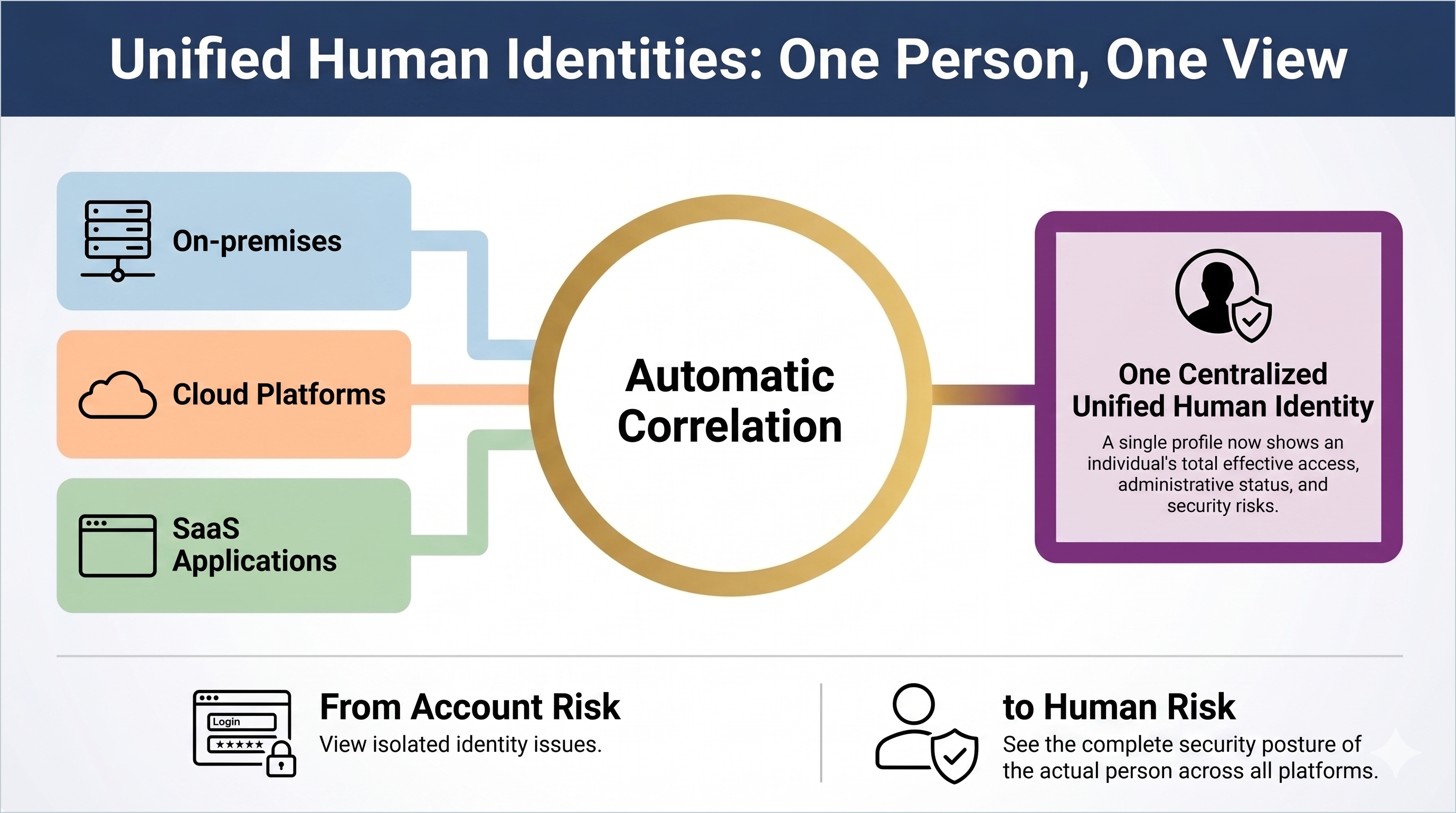
The Unified Human Identities (UHI) feature addresses identity fragmentation by automatically correlating disparate digital accounts into a single virtual asset. Modern enterprise environments manage identity across on-premises directories, cloud Identity Providers (IdPs), SaaS applications, and cloud platforms. Within these systems, individuals often accumulate multiple digital accounts, creating a visibility gap where risk is analyzed at the account level rather than the human level.
UHI functions as a central source of truth to provide a view of an individual's total effective access and security posture across the enterprise.
**Product availability**
The UHI feature is available for customers using the following products:
* Cloud Identity Security
* Cortex ITDR
* Cortex SaaS Security
**Implementation and correlation**
Cortex Identity Security creates and maintains Unified Human Identity assets automatically when a human identity is detected within the Cortex Data Lake.
* **Correlation method:** Cloud Identity Security uses the user email as the primary identifier to link accounts.
* **Asset model:** A Unified Human Identity serves as an umbrella container for every environment-specific identity belonging to a single person.
* **Supported sources:** Correlation includes data from the following environments:
* On-premises
* Identity providers (IdPs)
* Cloud platforms
* SaaS applications
### Human Identities Inventory
The Human Identities Inventory provides a centralized location to audit and manage the individuals in your organization.
**Inventory filter tabs**
The inventory view is organized into four primary tabs to filter the unified asset list:
* **All Identities**: Displays every correlated human identity across all environments.
* **Cloud Identities**: Filters for identities with accounts in cloud service providers (AWS, Azure, GCP, and OCI).
* **SaaS Identities:** Filters for identities with accounts in SaaS applications.
* **On-premises Identities:** Filters for identities originating from local directory sources, such as Active Directory.
**Inventory summary data**
The top of the inventory provides a real-time summary of identity health:
* **Risk Breakdown:** A summary showing the total number of individuals with associated risks, categorized by high and low severity.
* **Administrative Status:** A count of individuals who hold administrative privileges across any connected system.
* **Activity Tracking:** An overview of inactive identities who have not accessed their accounts within a specified timeframe.
### Individual Identity Details Panel
You can click an individual in the identity inventory list to open a detailed profile panel that consolidates information typically scattered across multiple consoles.
* **Identity metadata:** Displays the individual’s title, department, and employment type.
* **Providers:** Lists the source systems (such as Okta, AD, or specific cloud platforms) contributing identity data to the Unified Human Identity.
* **Identity insights:** Behavioral and posture-based analytics highlighting specific security risks or anomalies associated with the person’s combined footprint.
* **Correlated accounts:** Lists every specific account, including cloud roles, directory profiles, and SaaS logins, that has been correlated to a specific Unified Human Identity.
### Operational Use Cases
* **Detection of Privilege Creep:** Identifies individuals who have accumulated excessive permissions across unrelated platforms, and who may be invisible when viewing accounts in isolation.
* **Incident Investigation:** Responders can search by name or email to view all associated system access, reducing the manual effort required to cross-reference logs from different providers.