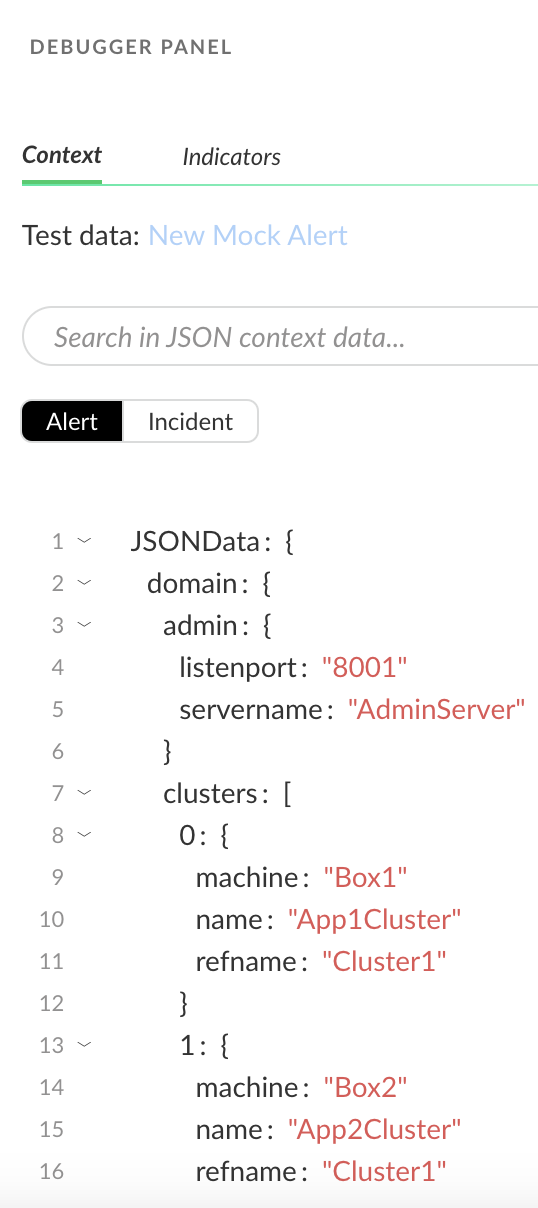
Create a JSON list and use the **Set** automation to create a context key from its data.
1. Create a List:
1. In the Name field, type `Test1`.
2. Select **Settings** → **Configurations** → **Object Setup** → **Lists** → **Add a List**.
3. In the **Content Type** field, select **JSON** and add the following content:
```programlisting
{
"domain": {
"name": "mwidomain",
"prod_mode": "prod",
"user": "weblogic",
"admin": {
"servername": "AdminServer",
"listenport": "8001"
},
"machines": [
{
"refname": "Machine1",
"name": "MWINODE01"
},
{
"refname": "Machine2",
"name": "MWINODE02"
}
],
"clusters": [
{
"refname": "Cluster1",
"name": "App1Cluster",
"machine": "Box1"
},
{
"refname": "Cluster1",
"name": "App2Cluster",
"machine": "Box2"
}
],
"servers": [
{
"name": "ms1",
"port": 9001,
"machine": "Box1",
"clusterrefname": "Cluster1"
},
{
"name": "ms2",
"port": 9002,
"machine": "Box2",
"clusterrefname": "Cluster2"
}
]
}
}
```
4. **Save** the list.
2. Create a playbook task with the **Set** automation:
1. Select **Investigation & Response** → **Automation** → **Playbooks** → **New Playbook**.
2. Name the playbook, and click Save.
3. Click Create Task and provide a task name.
4. In the **Choose Script** field, select **Set** .
The **Set** script sets a value in context under the key entered.
5. In the **key** field, define a context key name for the data. For example, JSONData.
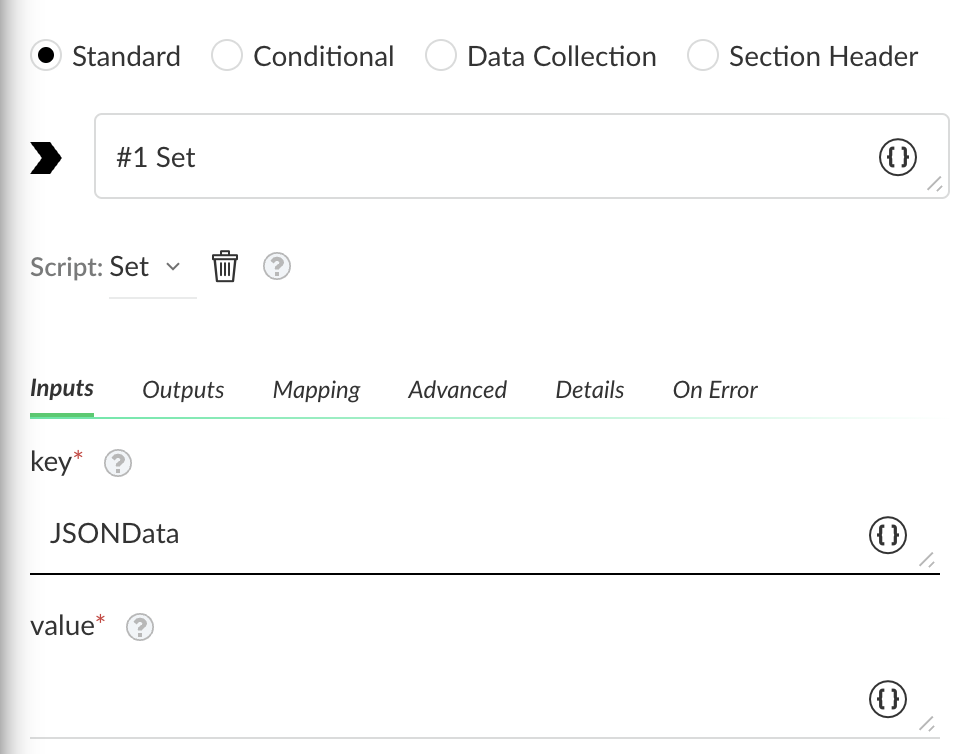
6. In the **value** field, set the list you want to extract by clicking the curly brackets.
7. Click **Filters And Transformers**.
8. In the **Get** field, click the curly brackets, and in the **Select source for value** section, select the list you created in step 1: **Test1**.
9. In the **Fetch data** field, select an issue to test the data.
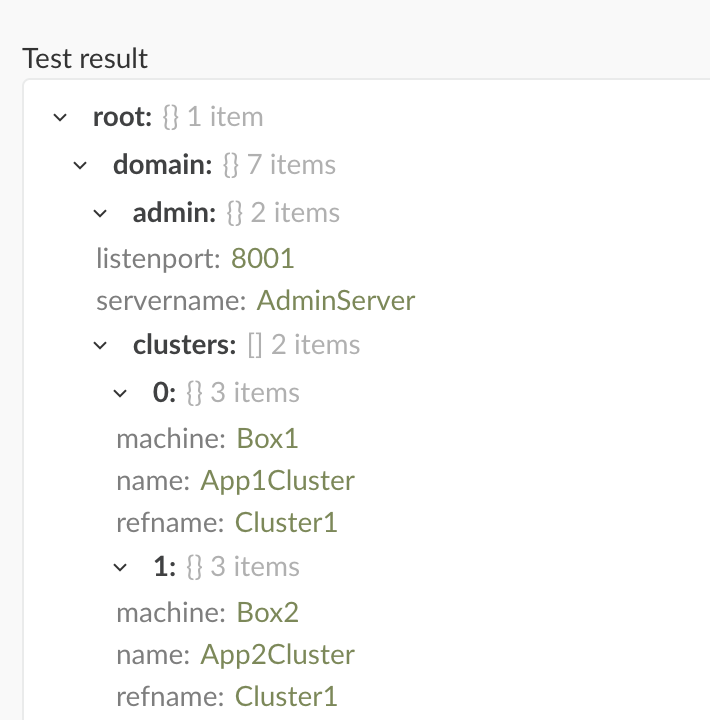
10. Click **Test**.
In this example, the test results have found the list data.
11. When the test completes, click **Save**.
12. Save the task and playbook.
3. Check all the data is stored in the context key you defined by testing the playbook using the debugger:
1. Click **Run**.
2. Open the **Debugger Panel**.
The key you defined, JSONData, holds the data in context from the JSON object.