You can interact with agents in the Agentic Assistant chat to automate case and issue investigation and response. Agents create and execute plans, which are sequences of actions (such as playbooks, scripts, and commands) designed to fulfill your requests.
Actions and agents are managed in the **Agentic Assistant Hub**. You can access the Agentic Assistant Hub from the main navigation or from within the chat by expanding the Agentic Assistant menu.
To manage agents in the Agentic Assistant Hub, you must have the proper permissions. For more information, see [Agentic Assistant role-based access control](agentic-assistant-role-based-access-control).
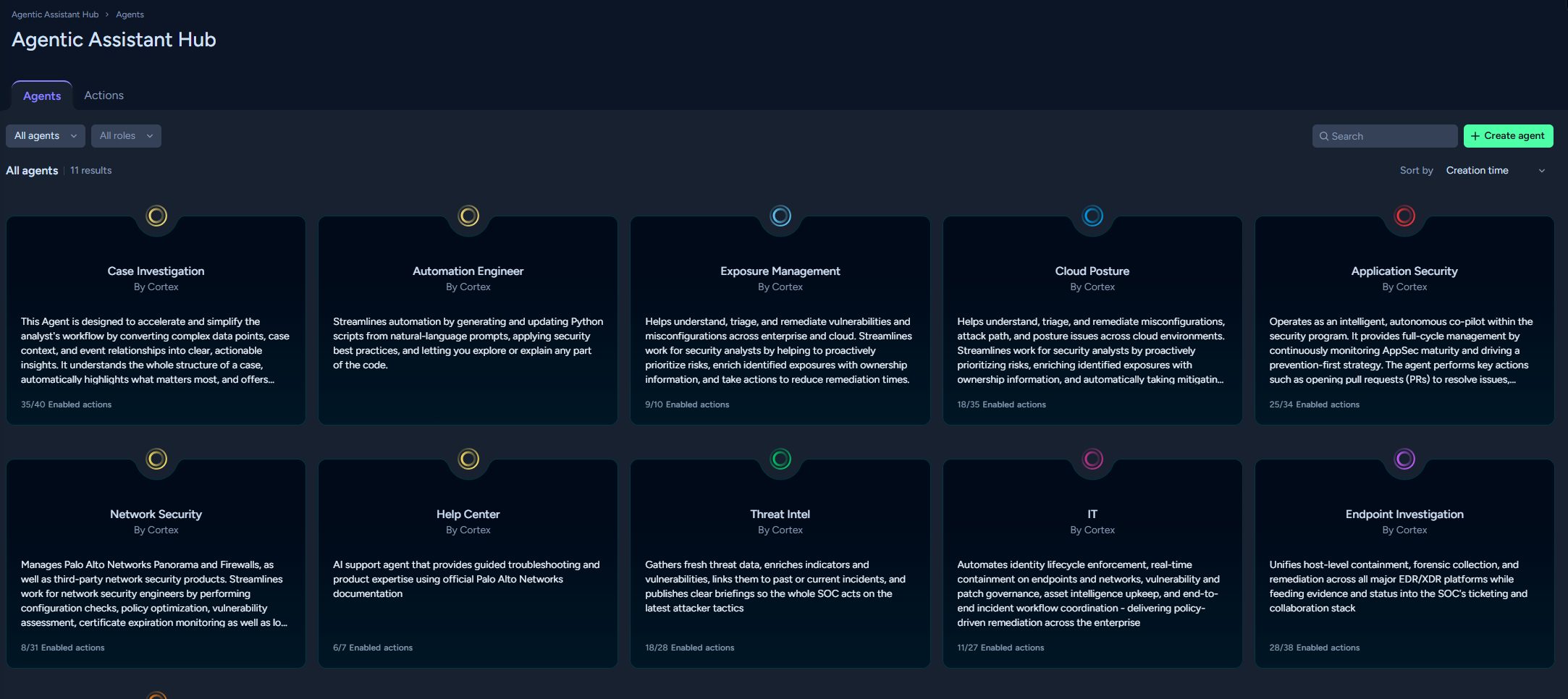
The **Agentic Assistant Hub** includes the following components:
* **Actions**
Actions wrap diverse content items (such as playbooks, scripts, AI prompts, and commands) to make them accessible and executable by an agent. Cortex XSIAM provides system actions, and you can also create your own actions. Custom actions can be created from scripts, commands, and AI prompts.
You can register new actions through the **Agentic Assistant Hub** or from the **Scripts** or **AI Prompts** page. Actions can include functionality such as sending emails, extracting data, enriching information, or opening support cases. Multiple actions can be created from a single script, command, or AI prompt, if needed. An action can be added to multiple agents.
* **Agents**
An agent is a virtual persona that creates and executes domain-specific plans, at your request, to assist in your day-to-day SOC operations. An agent has roles and permissions that provide guardrails. Each agent is assigned a collection of actions that it can use as part of plans.
The agent chooses the most relevant actions to fulfill a user's request. Agents process user requests, create plans, and orchestrate actions based on the user's goals and permissions (RBAC and SBAC).
Cortex XSIAM provides system agents, and you can also create custom agents. In the Agentic Assistant chat, you can select any system agent, any agent you created, or any public agent.
Agents can only use actions that have been assigned to them, and execution is limited to the user's existing permissions.
* From the **Agents** tab of the **Agentic Assistant Hub**, you can hover over any agent card to see the **View** option. Click **View** to see all the actions assigned to the agent and their status.
In the **Agentic Assistant Hub**, you can do the following:
* Register scripts, commands, and AI prompts as custom actions. After a script, command, or AI prompt is registered as a custom action, it can be assigned to agents and used in plans. For more information, see [Manage actions](agents-hub/manage-actions).
* View system and edit custom actions.
* Build agents and assign actions to agents.
* Enable and disable system agents and provide specific instructions. System agents have access to system actions that are assigned to the agent.
* Start a chat with any agent by clicking the more options icon on the agent card and clicking **Start chat**.