Ensure automatic data enrichment by scheduling Notebook jobs to run immediately or on a schedule.
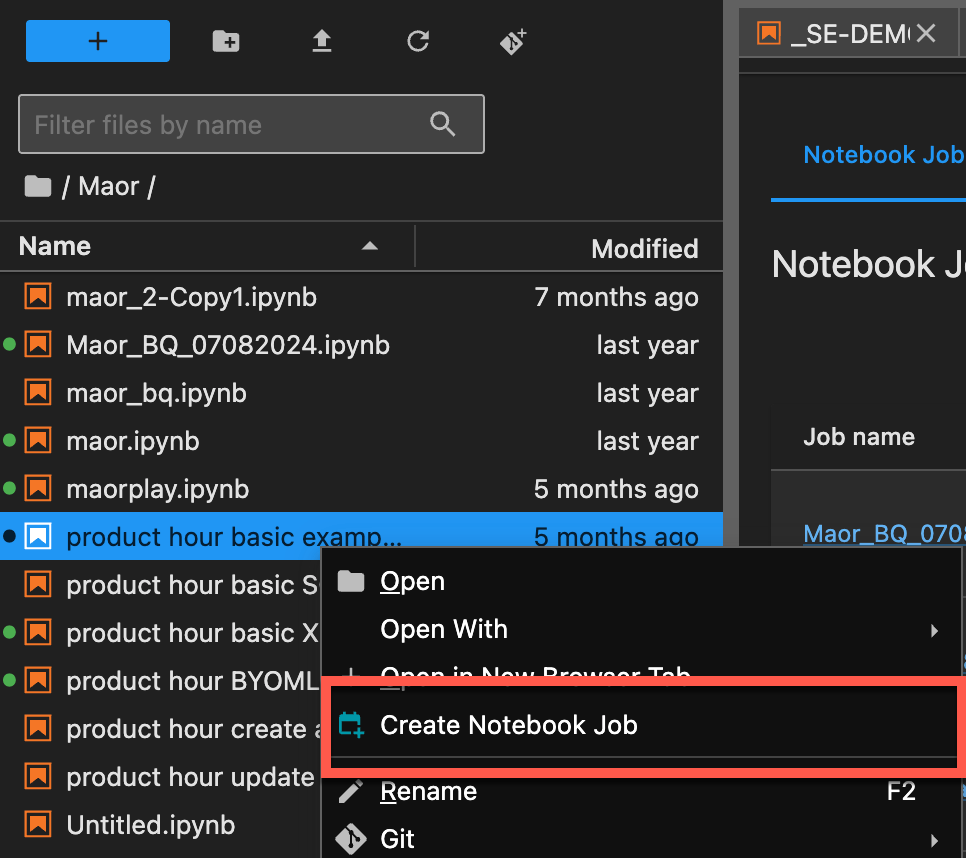
1. In the **Notebooks** window, on the left sidebar tab, right-click the file you want to run and select **Create Notebook Job**.
2. In the **Create Job** page, update the required parameters, such as the job name and output formats.
3. Select whether to run the job now or on a schedule.
The results of the scheduled job are reflected in the related rules as soon as the job runs.