1. In your Azure API Management instance, navigate to **APIs** → **Select an API**.
2. Navigate to **Monitoring** → **Diagnostic settings**.
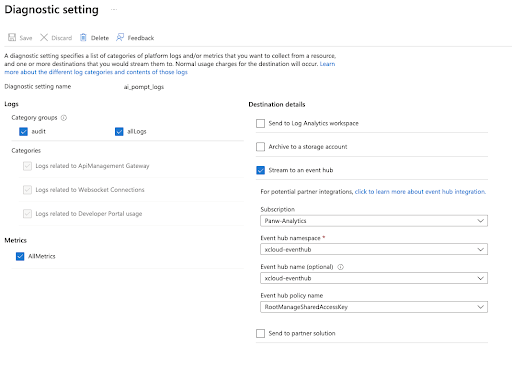
3. Click **Add diagnostic settings**.
4. Under **Logs**, select **audit**. Under **Destination details**, select **Stream to an event hub**.