Enable auditing access to AD domain objects - 4662
1. Log in to a Domain Controller as a domain admin.
2. In the **Start** menu, under **Administrative Tools**, open **Active Directory Users and Computers**.
3. In the left pane, locate the domain you want to audit. This will typically be the name of your network.
4. To see more details, in the **View** menu, select **Advanced Features**.
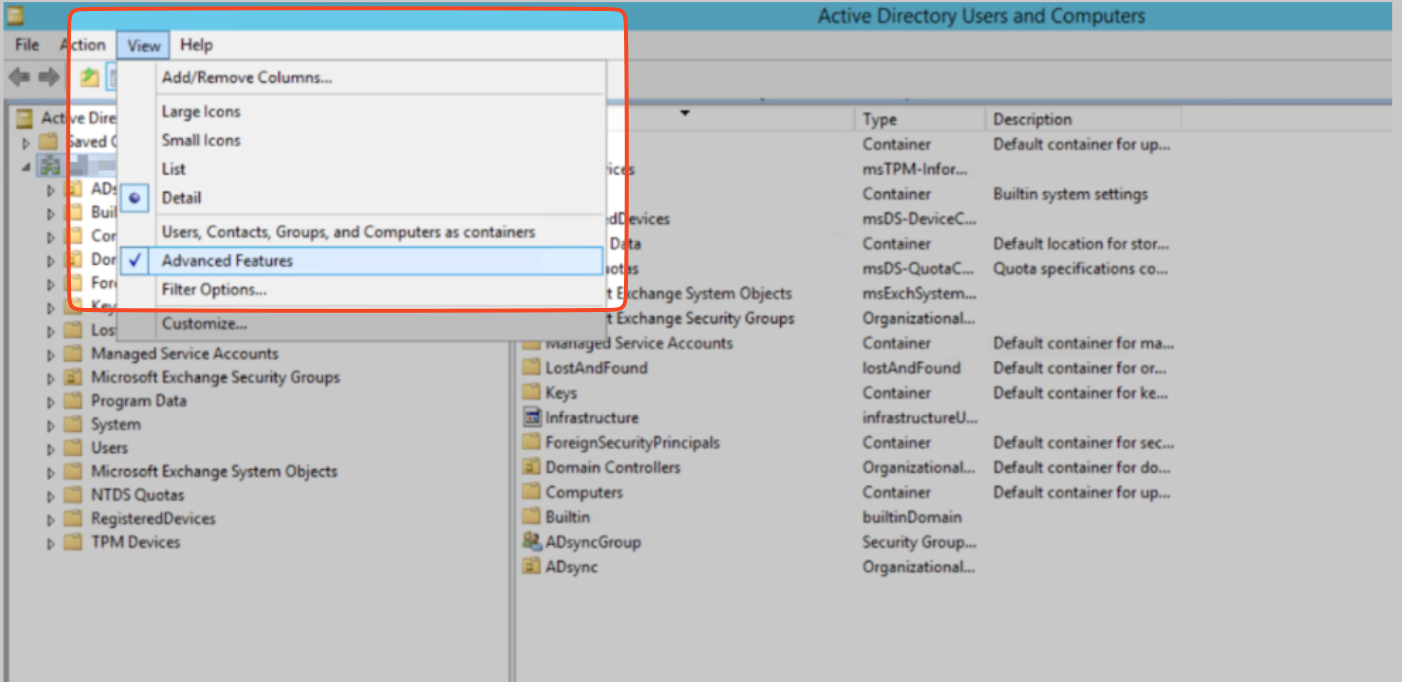{width=70%\}
5. To view detailed information about your domain, right-click its name and select **Properties**.
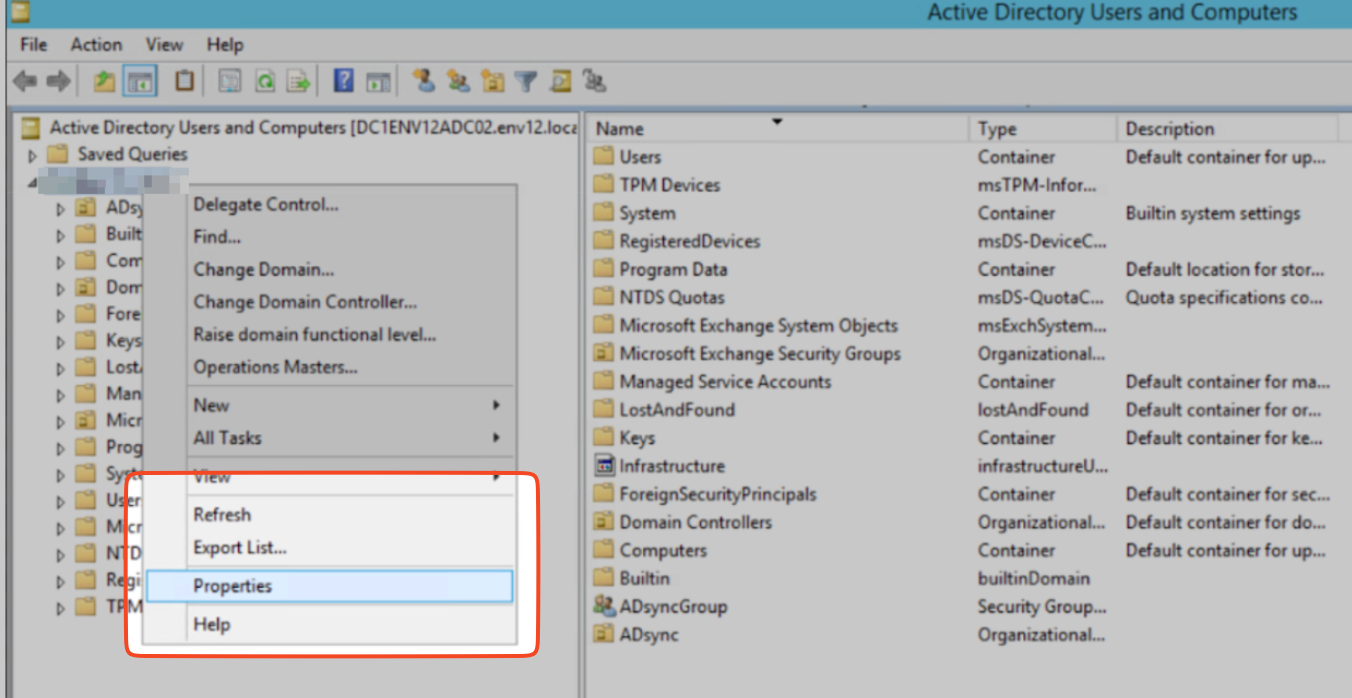{width=70%\}
6. Click the **Security** tab, usually located near the top of the **Properties** window.
7. Click **Advanced** which is located within the Security tab or near the bottom of the window.
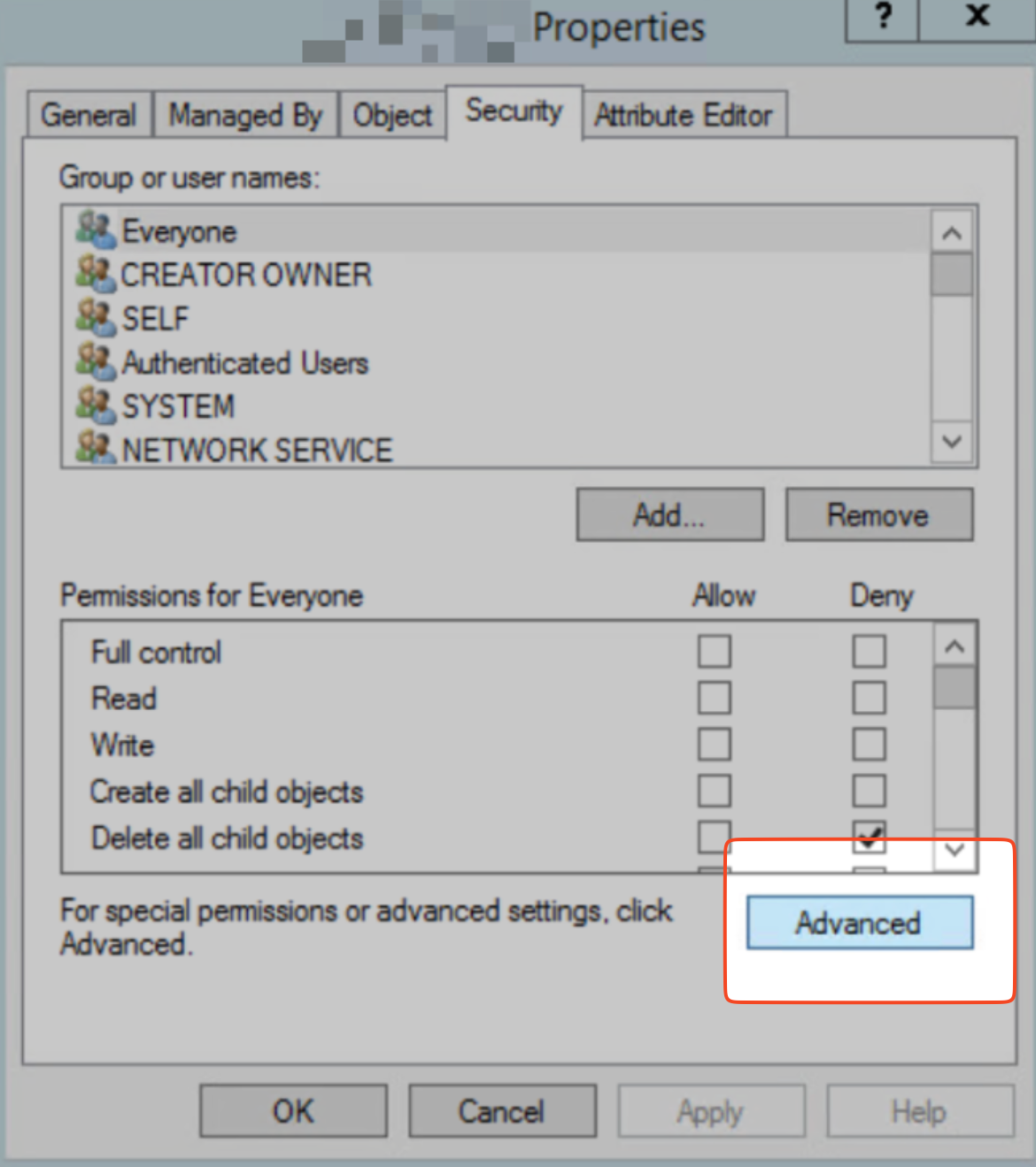{width=70%\}
8. In the **Advanced Security Settings** window that opens, select the **Auditing** tab and click **Add**.
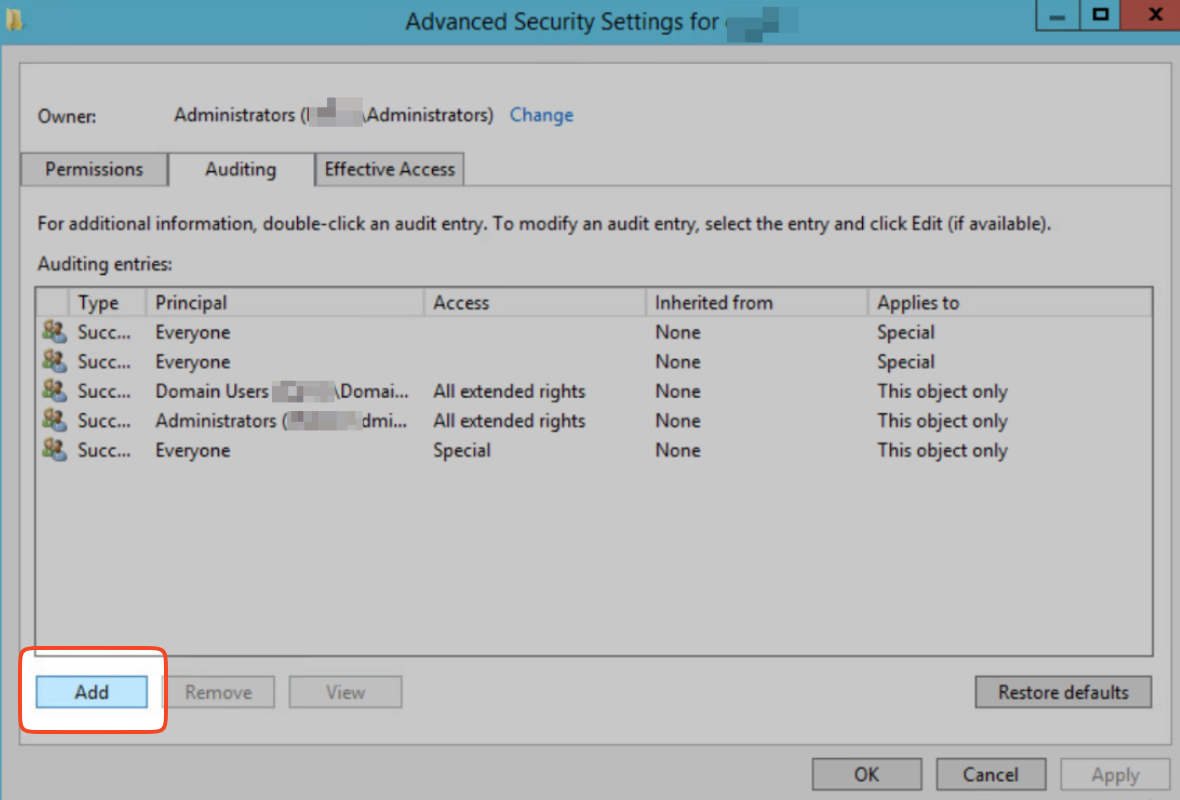{width=70%\}
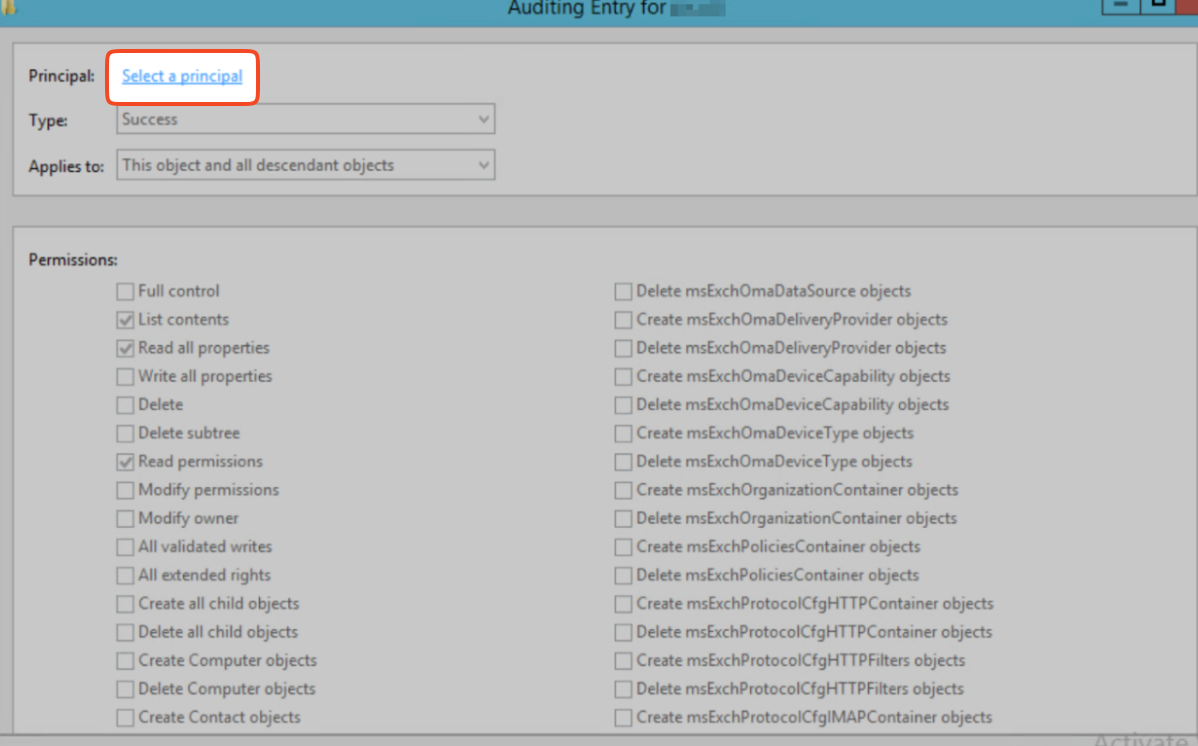
9. Click **Select a principal**.
{width=70%\}
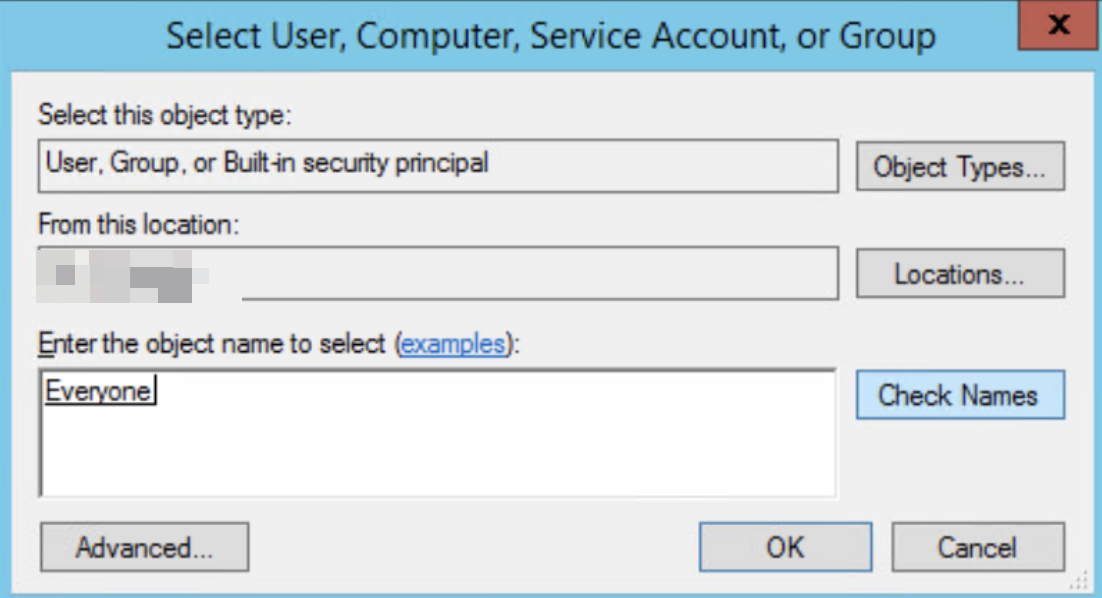
10. In the window that opens, under **Enter the object name to select**, type **Everyone**, click **Check Names**, and then **OK**.
{width=70%\}
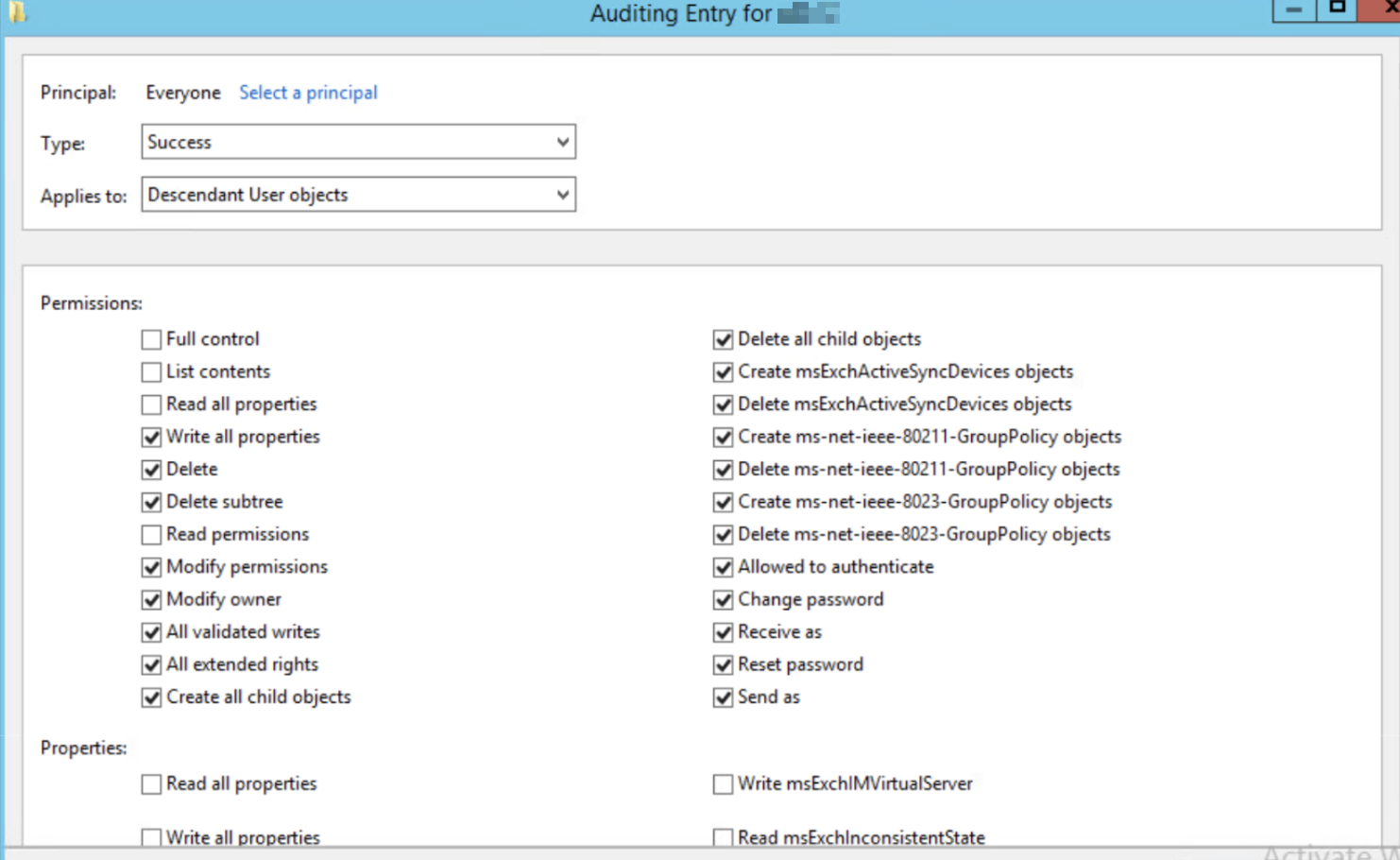
11. In the **Auditing Entry** window, do the following:
* **Type:** To track only successful attempts, select **Success**.
* **Applies to:** To monitor actions by users within this group and any subgroups, select **Descendant User objects**.
{width=70%\}
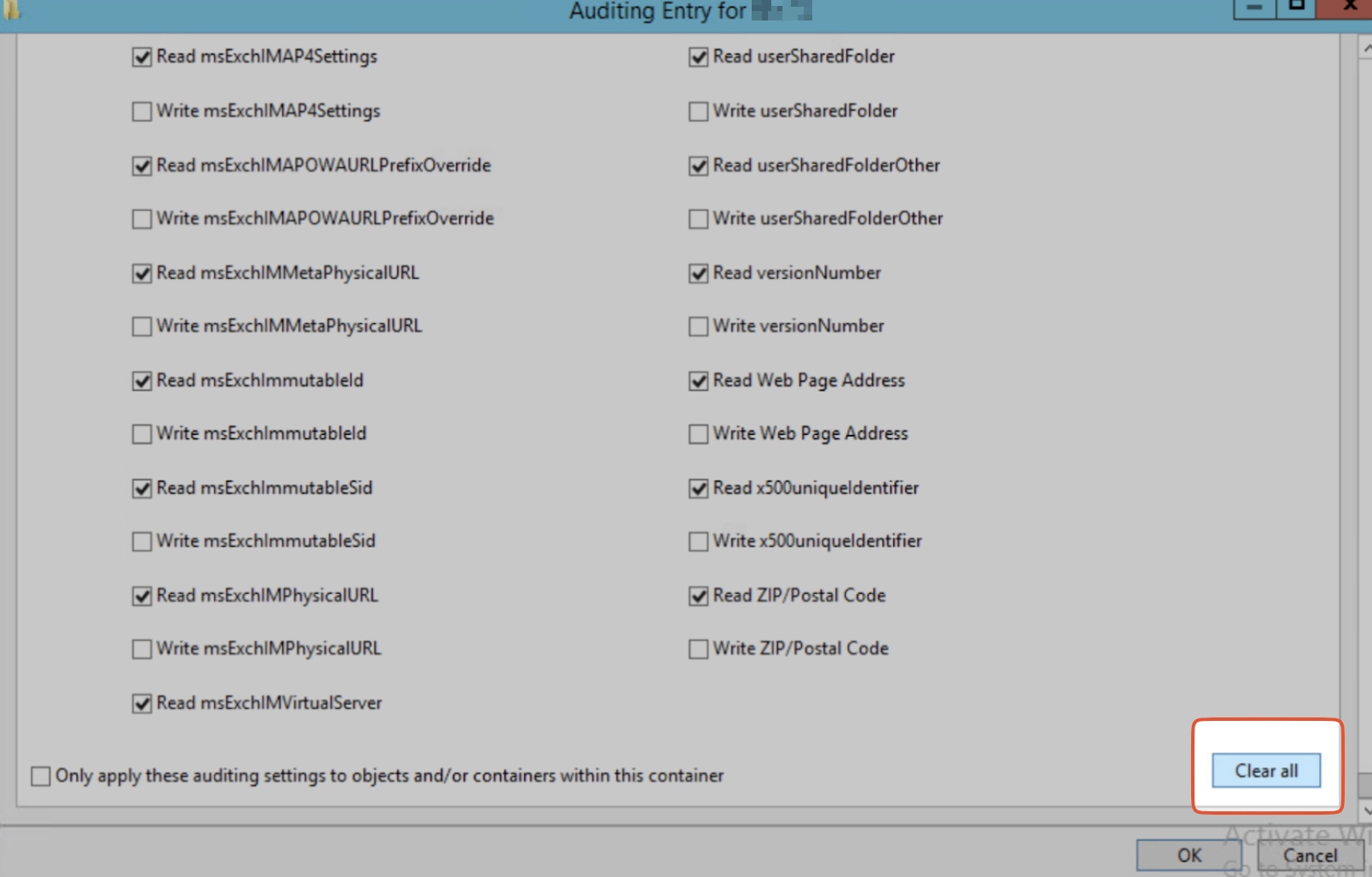
* **Permissions:** To remove any existing permissions from this audit entry, click **Clear all**.
{width=70%\}
* Scroll up to **Permissions** to see view the list of permissions. Click the checkbox next to **Full Control** which automatically selects all the individual permissions below it.
* Uncheck the boxes next to the following:
* **List contents**
* **Read all properties**
* **Read permissions**
{width=70%\}
* Click **OK** to save the changes.
12. Repeat step 11, with the following values in **Applies to**:
* **Descendant Group Objects**
* **Descendant Computer Objects**
* **Descendant msDS-GroupManagedServiceAccount Objects**
* **Descendant msDS-ManagedServiceAccount Objects**
* **Descendant msDS-DelegatedManagedServiceAccount Objects**
<div data-gb-custom-block data-tag="hint" data-style="info" class="hint hint-info"><h3>Note</h3><p>The <strong>Descendant msDS-DelegatedManagedServiceAccount Objects</strong> configuration is relevant only for Windows Server 2025.</p></div>