README files for content entities ↗
Documentation is a critical step that assists customers who may use your integration/script/playbook by providing insight into how the content entity is supposed to work. From creating custom playbooks, to providing background information to assist in debugging, it is important to ensure that the documentation explains every aspect of the integration. Documentation is maintained as README.md per integration/script/playbook and made available for customers as part of the reference docs of the Cortex XSIAM Developer Hub.
We recommend reviewing the HelloWorld integration README file as you create the README files for your content entities.
Note
Images and videos can be added to documentation.
Generate README documentation for content entities
- If the content entity is new.
- If the content entity exists but is missing documentation.
- If the content entity exists and some of it has changed. For example, a new command was added or context was changed.
Content entity README examples
- Azure Sentinel: Shows how the commands and examples should be presented.
- Slack v2: Shows an example of the troubleshooting section.
- Get Email From Email Gateway - Mimecast: show an embedded playbook image.
- JSON Feed: Shows use of embedding a video.
- CentrifyVault: Shows use of embedding a YouTube video.
Publish content entity README documentation
After the pull request with the documentation README file is merged into master, it becomes available as part of the Developer Hub, and can be viewed in the reference docs section. The site is updated with the latest content on a daily basis. If you wish to preview how the documentation looks at the Developer Hub, before merging to master, you can either run locally the content-docs project to preview the Reference Docs site locally or create a PR at the content-docs repo.
Preview content entity reference docs locally
Clone or download the content-docs repo. Follow the instructions at the project's README to run the site locally and generate Reference Docs for the content repo you have locally. For example run in the content-docs checkout dir:
CONTENT_REPO_DIR=~/dev/demisto/content npm run reference-docs && npm start
Preview reference docs with a content-docs pull request
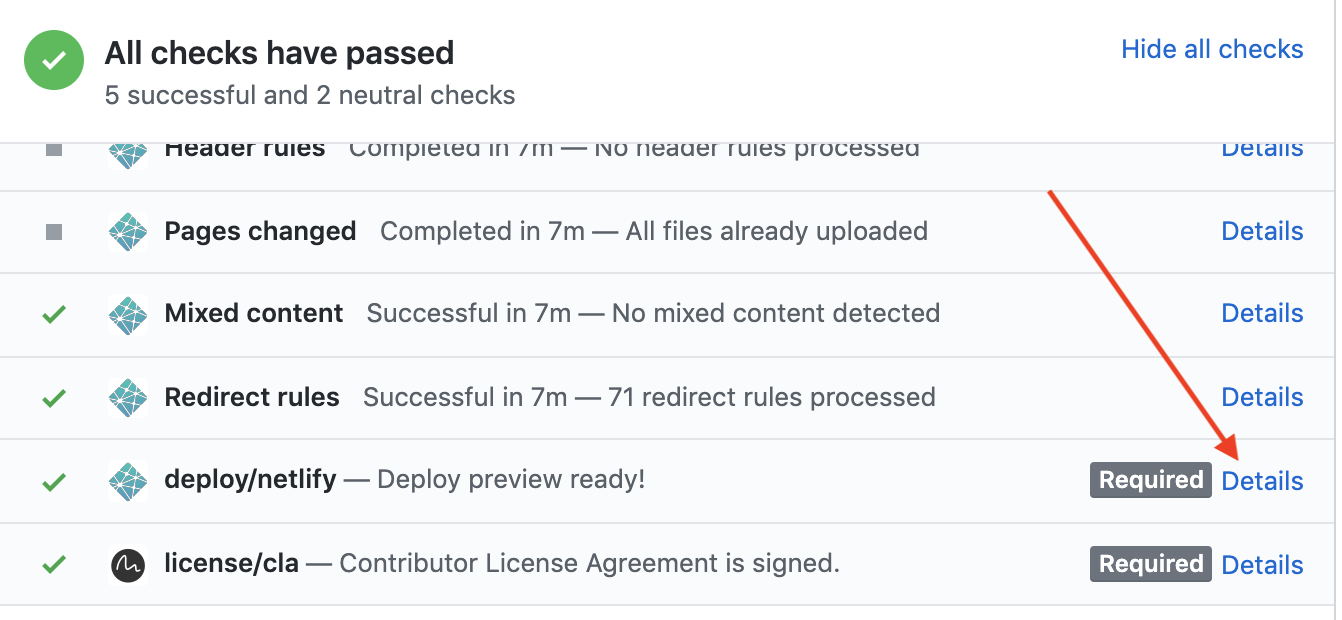
Create a PR at the content-docs repo with the same branch name as the PR you are working on in the content repo. Mention in the PR that it is related to a PR from the content repo. Your PR in the content-docs repo will include a preview link in the GitHub Checks section from deploy/netlify. You can perform a dummy white space change for the PR that will re-trigger the build and create a new preview. Example screenshot for preview link:
Use MDX in content entity README files
We use MDX for the Markdown generation. MDX is a superset of standard Markdown, but it requires that any HTML used in the document must be JSX compliant. This means all HTML tags need to contain a closing tag. For example don't use <br>, use <br/>. Additionally, HTML entities < >, not in code blocks need to be HTML encoded. Use < and > to encode. As part of the build, the README.md file is validated for MDX compliance.