Review reports ↗
The Reports page accessible from Posture Management → Compliance → Results → Reports shows a table listing compliance assessment report files.
The table displays report details, including:
- Standard name
- Assessment profile
- Asset group
- Score
- Controls status
- Failed controls by severity
- Evaluation time
The Evaluation time indicates when the compliance assessment was last performed, not when the report was generated. Because compliance assessments occur every six hours, the Evaluation Time typically precedes the actual report generation time.
Export compliance assessment reports
You can download a report by right clicking a report file in the table and selecting Export to PDF or Export to CSV. You can optionally delete reports.
You can also generate PDF or CSV reports and optionally receive them via email when you configure your assessment profile. For more information, see Use an assessment profile to run compliance checks on your assets.
The downloaded files contain the following information.
| Exported File Type | Information Included | File Retention after Report Generation |
|---|---|---|
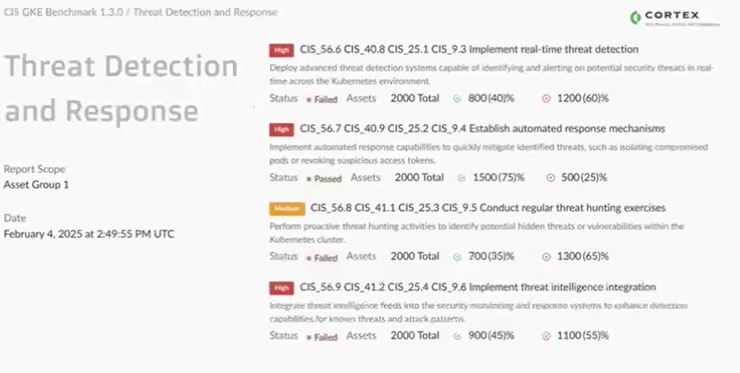
| <p>An executive summary showing:</p><ul><li>Asset Group</li><li>Report generation date</li><li>Compliance standard used for the compliance assessment</li><li>Standard details</li><li>Overall compliance assessment status (passed or failed)</li><li>Number of assets the compliance assessment ran on</li><li>The number (and percentage) of assets that passed</li><li>The number (and percentage) of assets that failed</li></ul> | Up to six months. | |
| CSV | A report detailing assets, controls, and rules. | Up to three days. |
Example
The following is a sample compliance assessment report exported to PDF.