XTI Threat Intel Library ↗
The XTI Threat Intel Library provides a unified catalog of threat objects, which are durable, conceptual entities used to describe and understand the broader threat landscape. It serves as a repository of curated intelligence, providing detailed information about the primary entities and security flaws observed in the threat landscape: threat actors, malware families, and vulnerabilities. By offering in-depth profiles, associations, and technical indicators, the library is a dedicated research tool that allows you to investigate adversary motivations, track malware evolution, and analyze vulnerability intelligence.
The XTI Threat Intel Library is powered by high-fidelity Unit 42 data.
The following types of threat objects are part of the library:
- Threat Actors
- Malware Families
- Vulnerabilities
- Reports
To access the Threat Intel Library, go to Threat Management → Threat Intelligence → Threat Intel Library.
Threat Actors
Use the Threat Actor tab to research threat actors. It can display listings in card view with a graphical representation for each threat object or in grid view as a list. You can search for specific threat actors in the search box.
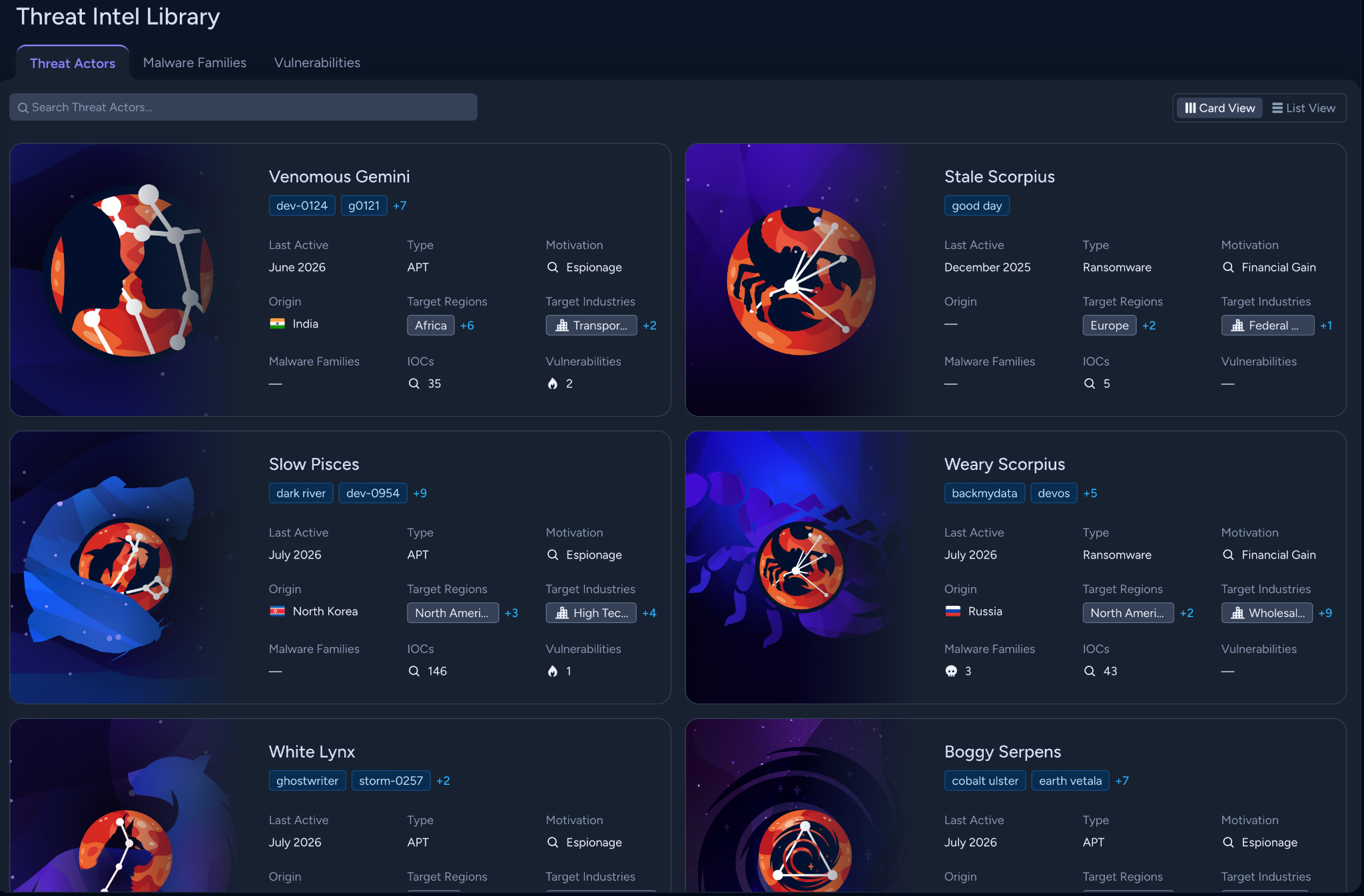
By default threat actors are displayed in card view. To access advanced filtering options and customize the information displayed for each threat actor, switch to the list view.
When you select a threat actor, a side pane opens and the following tabs provide detailed information:
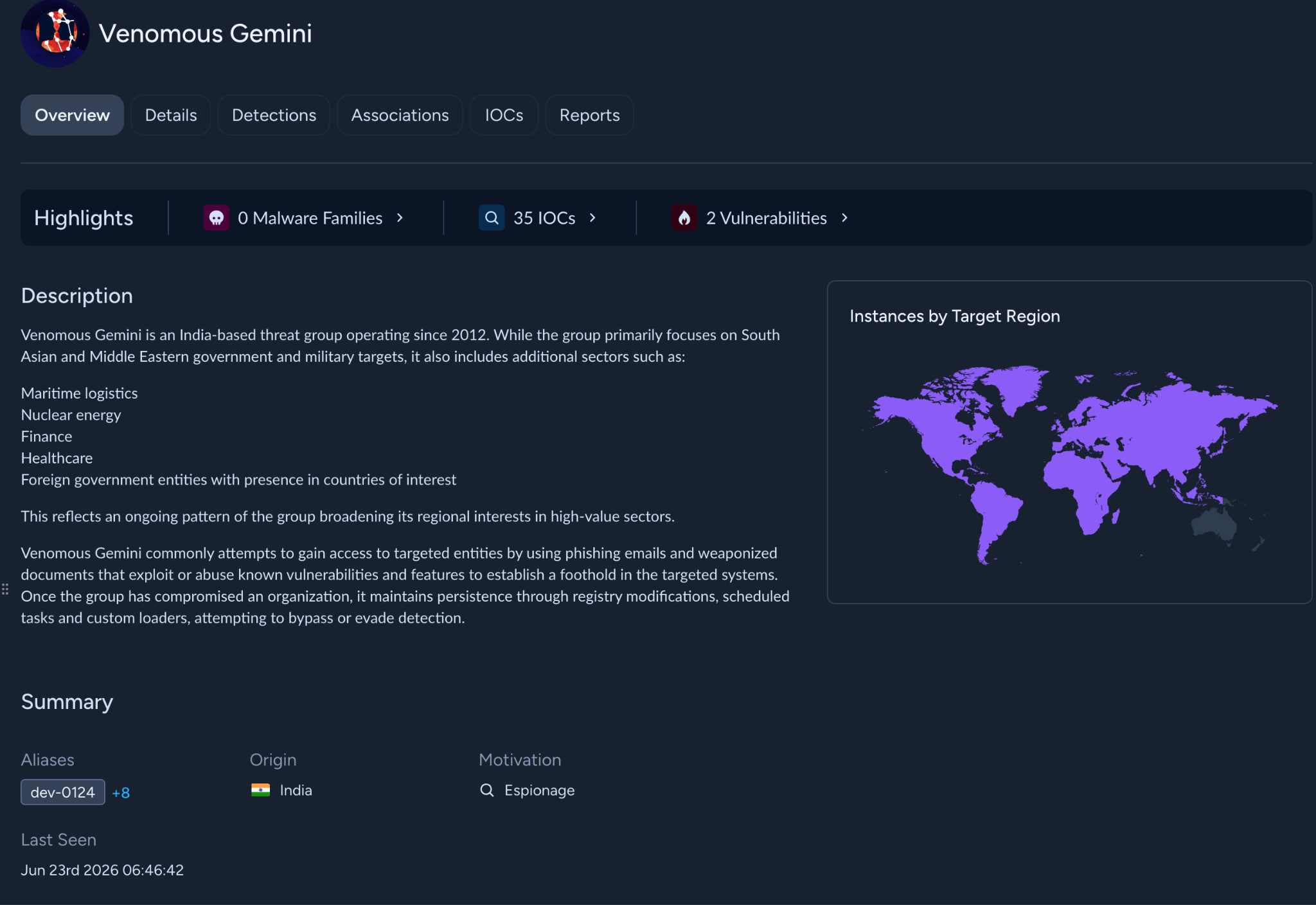
- Overview: High-level profile of the adversary, including description, summary, target region, MITRE ATT&CK mapping of key tactics, techniques, and procedures, and links to related threat objects and IOCs.
- Details: Includes metadata about initial access, motivations/targets/victimology, aliases, targeted regions, targeted industries, and more.
- Detections: Lists cases and issues associated with the specific threat object, including cases based on direct IOC observation and cases based on Behavioral Threat Analysis (BTA). Select a Cases or Issues grouping to view cases or issues in a tabular view.
- Associations: Lists malware families and vulnerabilities related to the threat actor. Select Malware Families to view a list of related malware families and select Vulnerabilities to view related vulnerabilities.
- IOCs: Lists indicators of compromise linked to the threat actor.
- Reports: Lists reports related to the threat actor. Select a specific report category to view all related reports that fall in that category.
Malware Families
Use the Malware Families tab to research malware families. You can set filters, such as malware family name, aliases, and associated threat actors, to search for malware families.
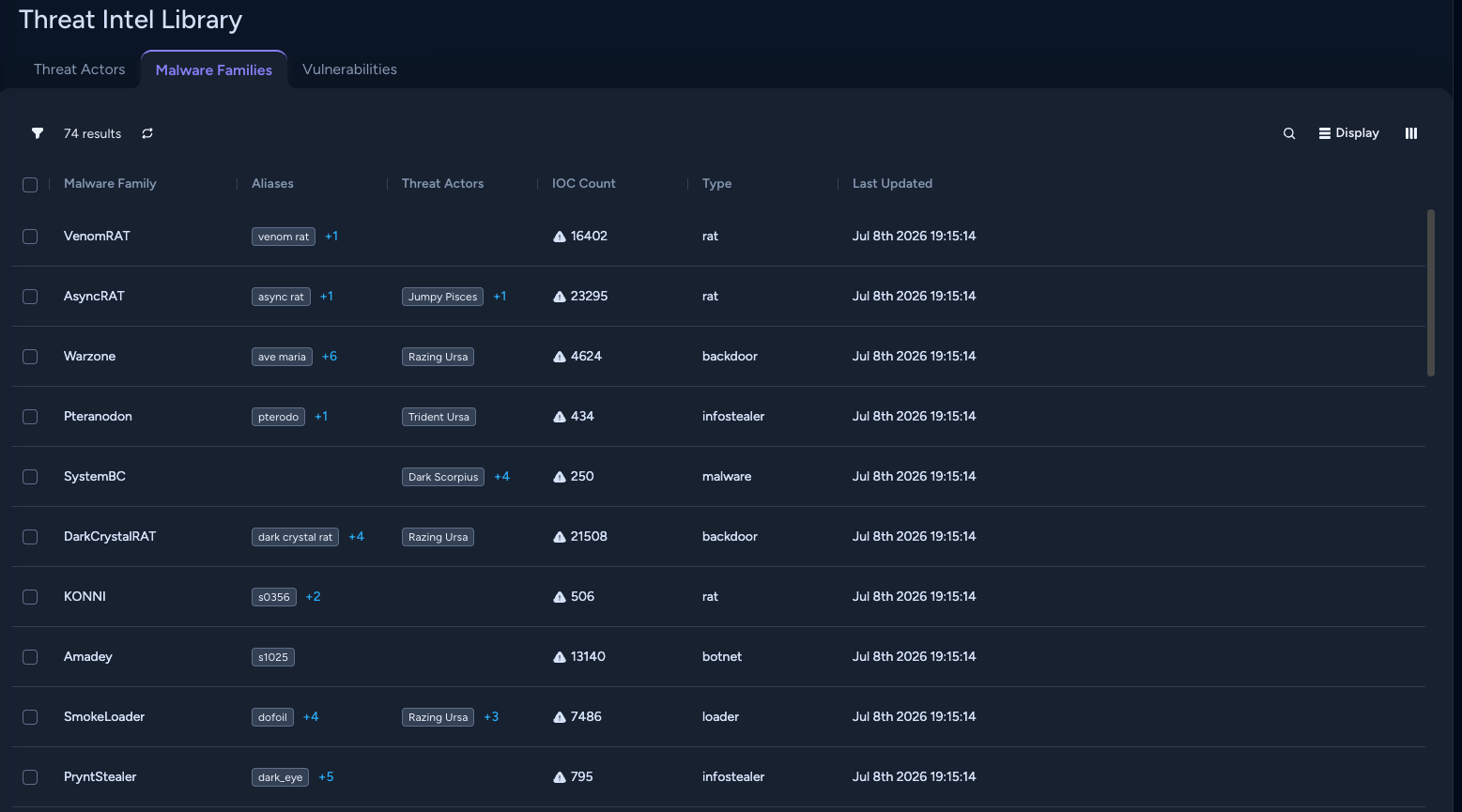
When you select a malware family, a side pane opens and the following tabs provide detailed information:
- Overview: High-level profile of the malware family, including description, summary, MITRE ATT&CK mapping of key tactics, techniques, and procedures, aliases, and links to related threat actors and IOCs.
- Detections: Lists cases and issues associated with the specific threat object. Select a Cases or Issues grouping to view cases or issues in a tabular view.
- Associations: Lists threat actors related to the malware family.
- IOCs: Lists indicators of compromise linked to the malware family.
- Reports: Lists reports related to the malware family. Select a specific report category to view all related reports that fall in that category.
Vulnerabilities
Use the Vulnerabilities tab to research vulnerabilities that threat actors may exploit. You can set filters, such as vulnerability ID, EPSS score, and CVSS score, to search for vulnerabilities and also save, load, and export the filters.
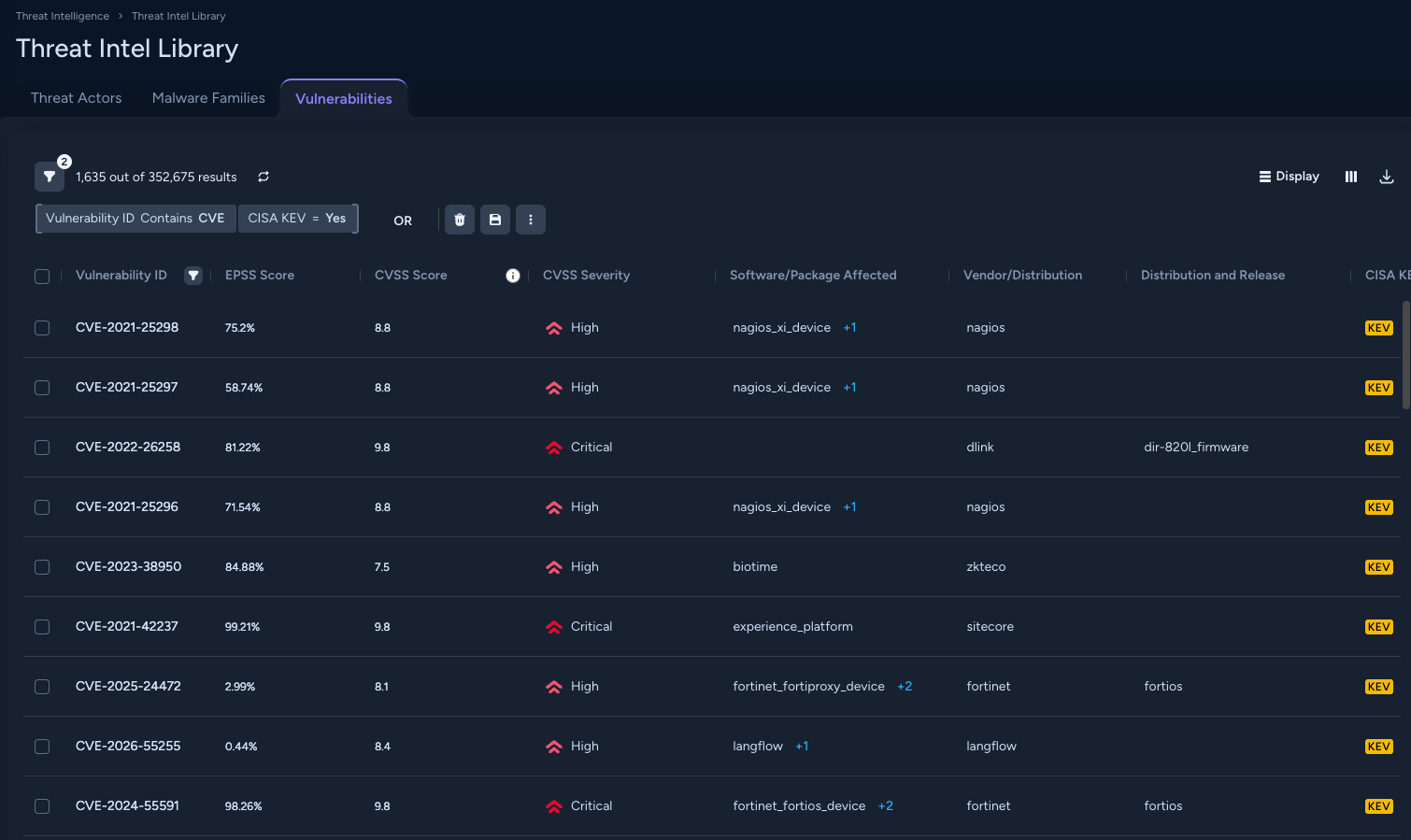
When you select a vulnerability, a side pane opens and the following tabs provide detailed information:
- Overview: High-level profile of the vulnerability, including description, EPSS details, CVSS details, vulnerability intelligence, and exploit intelligence.
- Affected Software: Information about the software/packages affected by the vulnerability, such as software/package name, distribution, release, and affected versions.
Reports
XTI allows you to access Unit 42 reports and Open Source Intelligence (OSINT) reports:
- Intel Bulletins: Proprietary Unit 42 point-in-time analysis reports covering threat actor infrastructure, malware, and techniques
- Publications: Unit 42’s public threat reports published to the Unit 42 threat research center.
- Timely Threat Intel: Quick-hit sharing of IOCs and TTPs identified in the wild and shared out through Unit 42 social media (X & LinkedIn)
- OSINT: Third-party synthesized documents that detail publicly accessible information about a target—such as a specific individual, organization, or threat.
- Others: Other reports from Unit 42.
Accessing reports
You can access the reports as follows:
- From Threat Actors and Malware Families tabs in Threat Intel Library
- From Behavioral Threat Analysis (BTA) citations and publication lists available for BTA-eligible cases
Accessing reports from Threat Actors and Malware Families tabs in Threat Intel Library
You can access reports associated with a specific threat actor or malware family through the Reports tab available for that threat object in the Threat Intel Library.
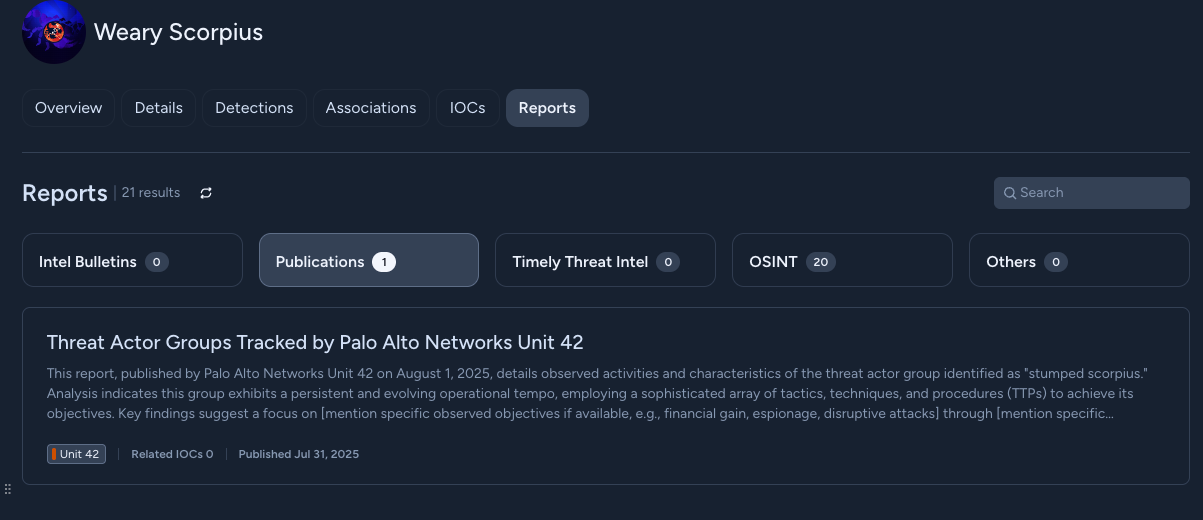
For each threat object, you can see its linked reports, organized in five categories (Intel Bulletins, Publications, Timely Threat Intel, OSIN, and Others).
Use the search bar to look for key words in one or more linked reports and report categories. Depending on the page that you are searching from, you can search multiple reports or multiple report categories.
When you select a specific citation, the Reports side pane is displayed.
Accessing reports from BTA citations and publication lists
You can access reports used for Behavioral Threat Analysis (BTA) through the links in BTA citations in the Threat Intel tab available in cases. When you select a specific citation, the Reports side pane is displayed.
Reports side pane
There is detailed information available for each report available from XTI.
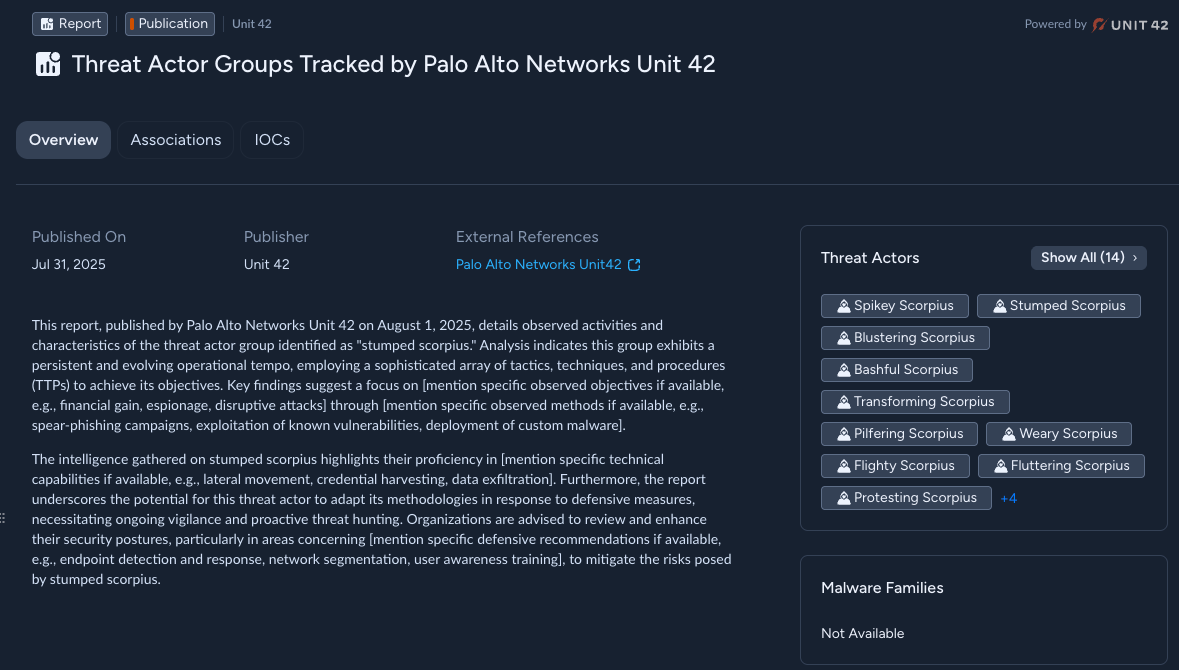
The following information is available about each report:
- Overview: Includes the link to the report (if the report is publicly available), the name of its publisher, the date of publishing, and the summary of the report content.
- Associations: Lists Threat Actors and Malware Families associated with the content of the report.
- IOCs: Lists indicators of compromise associated with the content of the report.
\