Enable security auditing event IDs with GPO ↗
Use the Group Policy Management Editor to configure security auditing policies across domain controllers or other target machines.
Note
We recommend that you configure the Group Policy Object (GPO) to apply to all endpoints and not just Domain Controllers. This ensures comprehensive auditing across your entire network.
- Log in to a Domain Controller (DC) as a domain admin.
- Open the Group Policy Management Editor using one of the following methods:
- Navigate to Server Manager → Tools → Group Policy Management.
- On your keyboard, press Win + R, type GPMC.exe, and press Enter.
-
Create or select a GPO using one of the following methods:
- Create a new GPO and link it to an Organizational Unit (OU) containing the computers where you want to apply the changes.
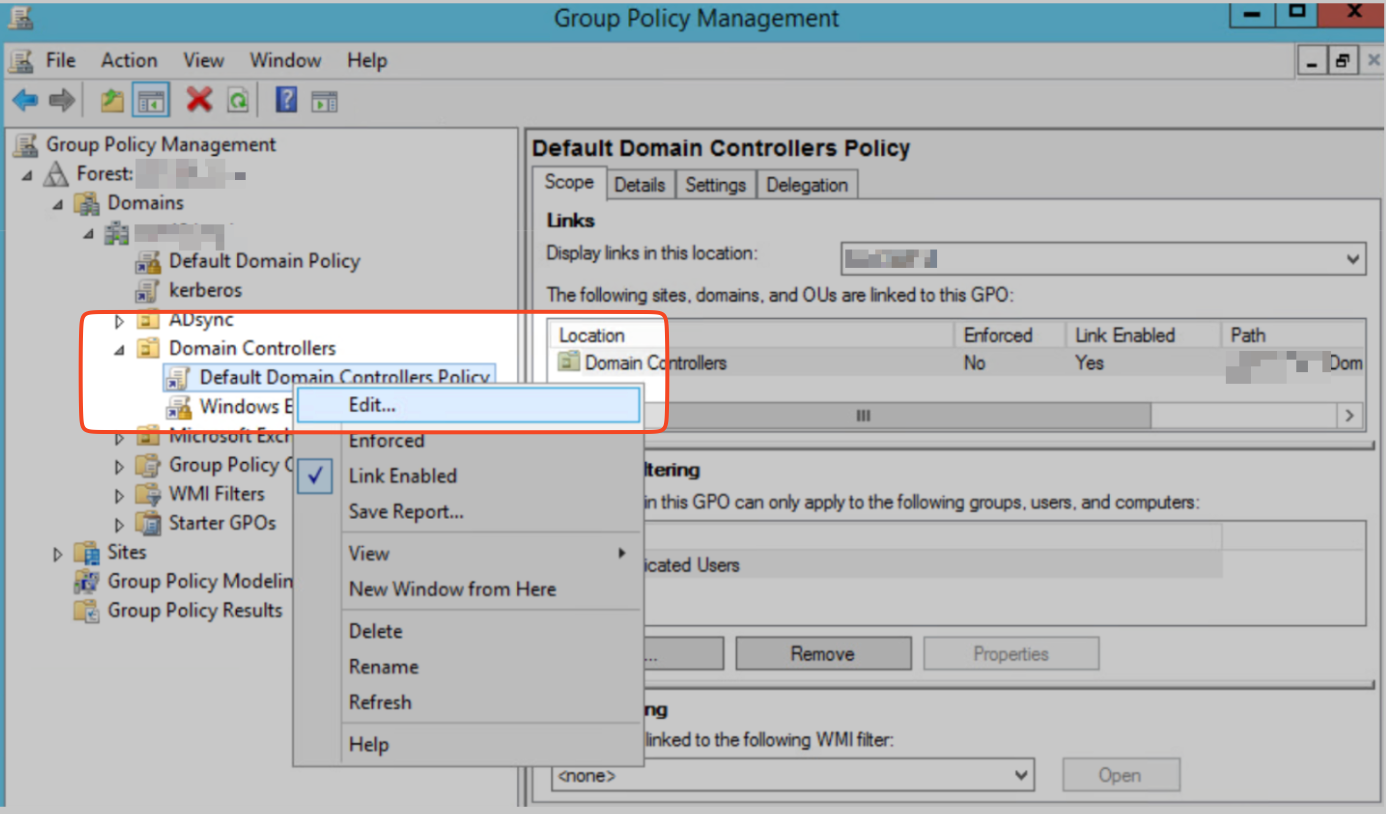
- Use an existing GPO. For example, to apply changes to domain controllers, expand the Domain Controllers OU, right-click Default Domain Controllers Policy, and select Edit.
-
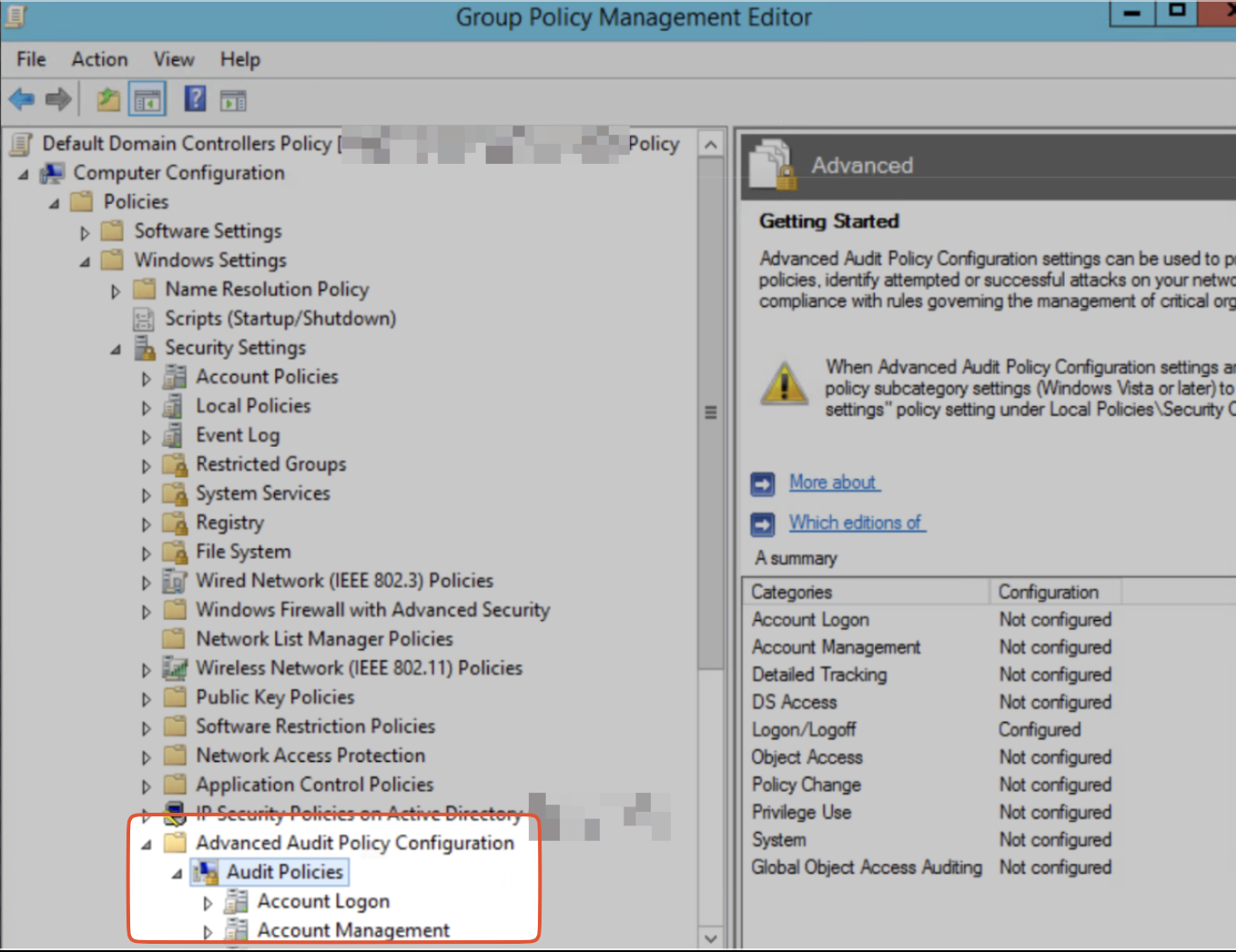
In the Group Policy Management Editor, navigate to Computer Configuration → Policies → Windows Settings → Security Settings → Advanced Audit Policy Configuration → Audit Policies.
-
In the Audit Policies settings, enable logging for both successful and failed attempts for the following events.
Event IDs Audit Policy Subcategory Additional configuration needed 4776, 4822, 4823 Account Logon Audit Credential Validation 4768, 4771, 4824 Account Logon Audit Kerberos Authentication Service DCs only 4769, 4770, 4821 Account Logon Audit Kerberos Service Ticket Operations DCs only 4741, 4742, 4743 Account Management Audit Computer Account Management DCs only 4727, 4728, 4729, 4731, 4732, 4733, 4735, 4737, 4754, 4755, 4756, 4757, 4764, 4799 Account Management Audit Security Group Management 4720, 4722, 4723, 4724, 4725, 4726, 4738, 4740, 4765, 4766, 4767, 4780, 4781 Account Management Audit User Account Management 4662 DS Access Audit Directory Service Access <p>Additional setup for Active Directory Certificate Services (ADCS) events</p><p>DCs only</p> 4634, 4647 Logon/Logoff Audit Logoff 4624, 4625, 4648 Logon/Logoff Audit Logon 4649, 4778, 4800, 4801, 4802, 4803 Logon/Logoff Audit Other Logon/Logoff Events 4672 Logon/Logoff Audit Special Logon 4880, 4881, 4885, 4886, 4887, 4888, 4896, 4898, 4899, 4900 Object Access Audit Certification Services Additional setup for Active Directory Certificate Services (ADCS) events 5140 Object Access Audit File Share 4698, 4702 Object Access Audit Other Object Access Events 4713 Policy Change Audit Authentication Policy Change 4616 System Audit Security State Change 1102 System Other System Events Enabled by default