Unit testing ↗
Unit testing should be used to test small units of code in an isolated and deterministic fashion. Unit tests should avoid performing communication with external APIs and should instead use mocking. Testing actual interaction with external APIs should be performed via test playbooks. Unit testing is currently supported for Python and PowerShell. This topic outlines the Python setup. For PowerShell see here.
Before unit testing, you need to set up the development environment and set up the integration and script environment for VS Code.
To work with unit testing, the integration or automation script needs to be developed in package (directory) structure, where the YAML file is separated from the python file and resides in its own directory.
Note
To verify the content runs with all the required dependencies, we recommend using VS Code with the Cortex XSOAR extension to write, run, and debug the unit tests locally with the corresponding image. You can alternatively use other IDEs such as PyCharm to run and debug the unit tests locally with the corresponding image. If you are using PyCharm, choose the poetry environment interpreter and enable pytest.
Use main in the integration or script
When writing unit tests, you need to import the integration/script file in order to test specific files. Therefore, the file must be written in a way that prevents it from executing when it is imported. This can be done with a simple main function which is called depending on how the file was executed. When the integration/script is called by Cortex XSIAM it has the property __name__ set to builtins. Adding the following code ensures the script is not run when imported by the unit tests:
if __name__ == "builtins":
    main()
Write unit tests
Unit tests should be written in a separate Python file named INTEGRATION_NAME_test.py. Within the unit test file, each unit test function should be named: test_$FUNCTION_TESTED_NAME. More information on writing unit tests and their formats is available at the pytest documentation. For an example of unit tests, see the Proofpoint TAP v2 integration.
Use a Docker network for unit tests
By default, unit tests are not run with access to the network; the network is disabled within the container that runs the unit-tests. If the integration/script requires access to the network during a unit test run, see .pack-ignore documentation.
Mock dependencies in unit tests
We use pytest-mock for mocking. pytest-mock is enabled by default and installed in the base environment mentioned above. To use a mocker object, pass it as a parameter to your test function. The mocker can then be used to mock both the demisto object and also external APIs. See an example of using a mocker object.
Run unit tests
Run unit tests from the command line
Run your unit tests from the command line from within the virtual env:
pytest -v
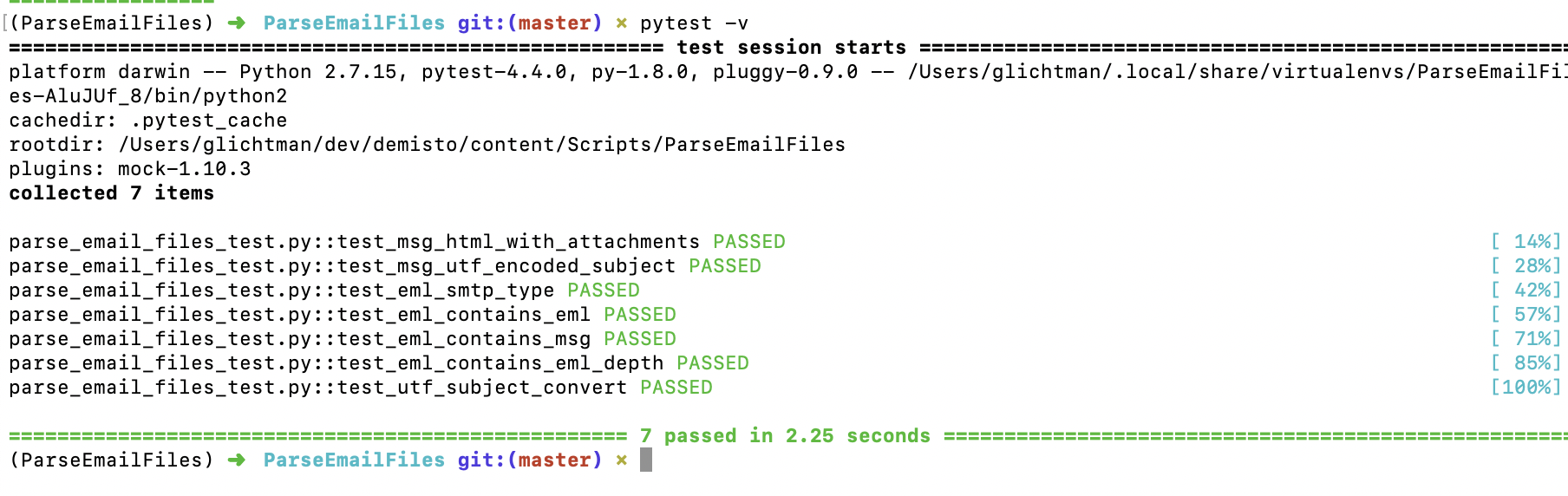
You can also run tests from outside the virtual environment:
pipenv run pytest -v
Run unit tests with Docker
The build runs the unit tests within the Docker image that the integration/script will run with. To test and run locally the same way the build runs the tests, run the pre-commit command
Run the script with -h to see command line options.
Use remote Docker for unit tests
When running unit tests within Docker, you can use a remote Docker engine accessible via SSH. For example, you can use a Docker engine running on a remote Linux machine in the cloud. This is useful when testing advanced integrations that you need to test on a Linux machine (for example, the Rasterize integration which uses Chrome). Set the following env variable with an SSH connection URL to use a remote Docker engine DOCKER_HOST.
For example:
DOCKER_HOST=ssh://myuser@myhost.com demisto-sdk pre-commit -i Packs/rasterize/Integrations/rasterize
Verify you can SSH to the target machine without a password prompt. Read more about Passwordless SSH using public-private key pairs.
To use a GCP machine accessed via an IAP Tunnel, see Remote to a VM over an IAP tunnel with VS Code which describes how to adda proper Host entry to the ~/.ssh/config, to be used for the DOCKER_HOST environment variable.
Common unit testing use cases
Test multiple input and output values
Most functions have several edge cases. When writing a unit test all edge cases need to be tested. See the following Python function:
def convert_string_to_type(string: str) -> Union[str, bool, int]:
    """
    Converts the input string to it's object type
    :param string: The input string
    :return: The converted object
    """
    if string.isnumeric():
        return int(string)
    elif string in ['true', 'false', 'True', 'False']:
        return bool(string)
    return string
A native unit test:
def test_convert_string_to_type():
    from File import convert_string_to_type
    string = 'true'
    assert convert_string_to_type(string) == True

    string = '432'
    assert convert_string_to_type(string) == 432

    string = 'str'
    assert convert_string_to_type(string) == 'str'
The correct way to test this function is by using the @pytest.mark.parametrize fixture:
@pytest.mark.parametrize('string, output', [('true', True), ('432', 432), ('str', 'str')])
def test_convert_string_to_type(string, output):
    assert convert_string_to_type(string) == output
We declare the inputs and outputs in the following format: 'input, output', [(case1_input, case1_output), (case2_input, case2_output), ...] Note that more than two variables can be delivered.
After declaring the variables and assigning their values, assign the variables to the test function. In the example above we assign the variables string and output to the test function.
Read more about how to parametrize fixtures and test functions. You can view an example of a test using the parametrize fixture.
Test exceptions
If a function is raising an exception, in some cases we need to test that the right exception is raised and that the error message is correct. For example, for the following function:
def function():
    raise ValueError('this is an error msg')
We need to import the raises function from pytest:
from pytest import raises
Then we test the exception being raised:
def test_function():
    from File import function
    with raises(ValueError, match='this is an error msg'):
        function()
If the function raises a ValueError with proper error message, the test passes.
Troubleshoot unit tests
- The
demisto-sdk pre-commitby default prints out minimal output. If it fails and the reason is not clear, run the script with-vfor verbose output. -
The script creates a container image which is used to run pytest and pylint. The container image is named: devtest<origin-image>-[deps hash]. For example:
devtestdemisto/python:1.3-alpine-1b9f5bee16a24c3f5463e324c1bb075. You can examine the image if needed by usingdocker run. For example:docker run --rm -it devtestdemisto/python:1.3-alpine-1b9f5bee16a24c3f5463e324c1bb075e sh