Causality icons key ↗
The following tables describe the causality chain icons in Cortex XSIAM, broken down by type:
Action icons
Causality action icons mark the actions that were taken on a process or event. Pending actions are shown with a dotted line.
| Icon | Description |
|---|---|
  |
Blocklist |
  |
Quarantine |
  |
Allowlist |
Causality alert icons
Causality alert icons indicate the type of alert that was triggered.
| Icon | Description |
|---|---|
 |
3rd party |
 |
XDR Agent |
 |
Analytics |
 |
BIOC |
 |
Firewall |
 |
General alert |
 |
Identity analytics |
 |
IOC |
Examples
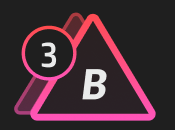
A number next to the alert icon indicates that there are multiple alerts. This icon show that there are three alerts and the selected alert is a BIOC alert. You can scroll through the alerts in the Information Overview.
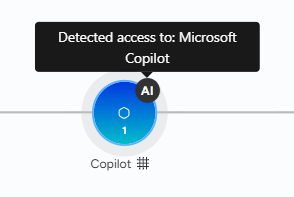
This example shows AI activity from the Microsoft Copilot was detected.
Cloud event icons
Cloud event icons indicate the type of cloud event or process.
| Icon | Description |
|---|---|
 |
Cloud admin |
 |
Compute disks |
 |
Compute instances |
 |
Container escaped |
 |
Drive |
 |
Exchange |
 |
General resource |
 |
Groups |
 |
Images |
 |
Network |
 |
Onedrive |
 |
Security groups- FW rules |
 |
Sharepoint |
 |
Skype |
 |
Storage buckets |
 |
Subnets |
 |
Teams |
 |
VPCs |
Event icons
Event icons indicate the type of activity that occurred.
| Icon | Description |
|---|---|
 |
AI activity |
 |
DotNet |
 |
Event log |
 |
File |
 |
Firewall |
 |
Host |
 |
Host group |
 |
Identity analytics |
 |
Internet |
 |
Malware |
 |
Mobile |
 |
Module load |
 |
Multi-user |
 |
Network |
 |
Potential prevention |
 |
Range |
 |
Registry |
 |
TCP Protocol |
 |
Server |
 |
Unknown event |
 |
User session |
 |
VOIP |
 |
VPN |
Left node icons
Left node icons provide additional information about a process.
| Icon | Description |
|---|---|
 |
Injected node |
 |
Last actor |
 |
Remote terminal session |
 |
RPC |
 |
Unknown process |
Node icons
Node icons indicate the type of process or event that occurred in the chain.
| Icon | Description |
|---|---|
| Adobe | |
 |
Attachment |
 |
Chrome |
 |
Remote IP Address |
 |
|
 |
Endpoint |
 |
Excel |
 |
Firefox |
 |
Generic process |
 |
Internet Explorer |
 |
IP address |
 |
Link |
 |
mySQL |
 |
Outlook |
 |
Powerpoint |
 |
Putty |
 |
Sender |
 |
Unknown |
 |
User |
 |
Word |
Other icons
| Icons | Description |
|---|---|
 |
Benign |
 |
Container |
 |
Causality Group Owner (CGO). |
 |
Default |
 |
Grayware |
 |
In-evaluation |
 |
Malware |
 |
Quarantine |
 |
Still running |
 |
Unknown sample |
 |
User |
 |
WF download |
 |
WF download unsuccessful |
Examples
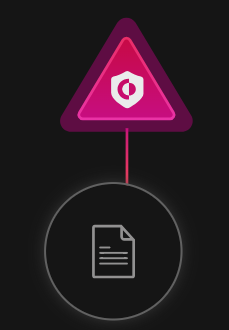
The following example shows a XDR Agent alert was triggered on a File.
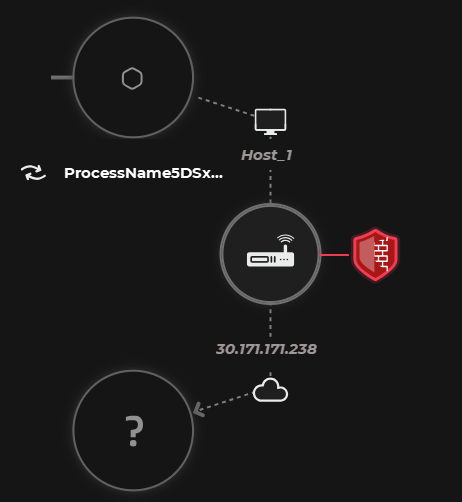
In this example, a NGFW alert was triggered on a TCP Protocol that called a remote IP address, that created an unknown process.
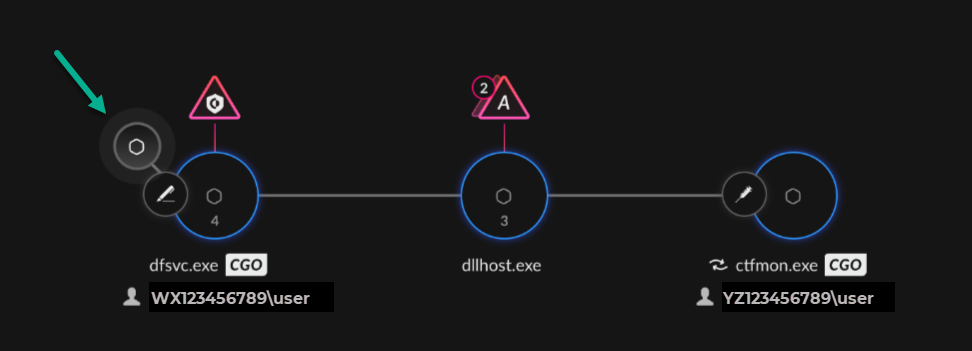
In this example, the highlighted process node represents the real parent that executed the process. Click on the node for more details about the parent process. The pen icon on the first process nodes indicates that this process is "last actor". The syringe icon on the last process node indicates that this process is an "injected node".
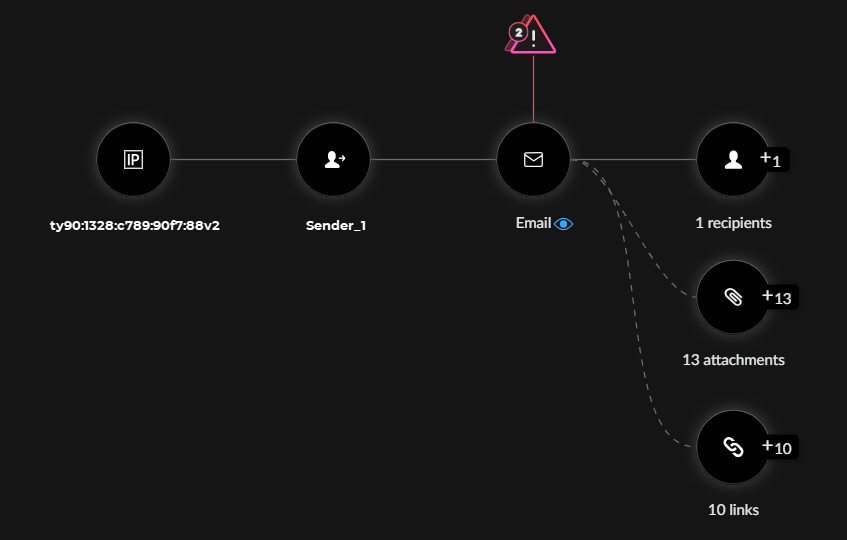
In this example, two alerts were triggered on an email that was sent to two recipients and included attachments and links.